Hello, everyone! Welcome to ActiveCollab’s latest updates! In December, we worked on many things, including task estimate splitting, project templates, the Invoices report, and ActiveCollab self-hosted version 8.
January was equally busy for our team. We delivered:
a new batch of ActiveCollab self-hosted 8 updates,
better Invoices and Payments reports,
an improved client payment interface.
Read on to learn more about this month’s updates!
ActiveCollab self-hosted 8
We started releasing upgrades to ActiveCollab self-hosted on December 30, 2025. With two more release candidates out in January, we’re ready for a major, full software upgrade on February 3.
Early-access users love version 8:
“The upgrade went pretty much flawlessly.”
“We LOVE being able to have sub-task deadlines!”
“Looking good, the 8.0, especially the reporting part!”
“Folders in Files are a game changer for us. The UI feels much more responsive.”
Indeed, with over 100 new and improved features, a neater interface, and a compact installation package, ActiveCollab self-hosted 8 is more powerful than ever.
Built for simplicity, you’ll now get one tool that replaces at least 10 others, without unnecessary complexity and costs. This new version is optimized to help you boost productivity and collaboration, while streamlining processes and client management.
Plus, ActiveCollab self-hosted 8 offers you complete data ownership, privacy, and flexibility, so you can have full authority over your entire infrastructure and the way you manage your business.
Improved Invoices and Payments reports
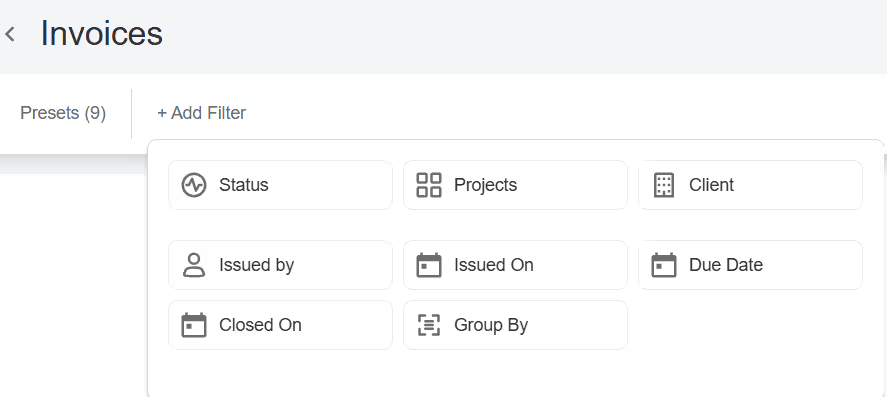
Get a better overview of your invoices, and assess your financial health more accurately thanks to added filtering and sorting options.
The revamped Invoices report helps you look into all your invoices, whether paid, canceled, overdue or not sent. Group them by client to analyze client behavior trends and patterns, identify risks, and optimize your cash flow.
Use tax filters to break down and get a better understanding of your costs before taxes, no matter how many different rates you use.
Refer to the Payments report to check per-period earnings, seasonality, top clients, and more.
Card and PayPal payments
In addition to creating and managing invoices, in ActiveCollab, you can also send automatic payment reminders and receive payments.
We redesigned the payment interface to help clients pay you faster, using a card or PayPal.
Check out the video summary of the January updates for a walkthrough:
Uptime
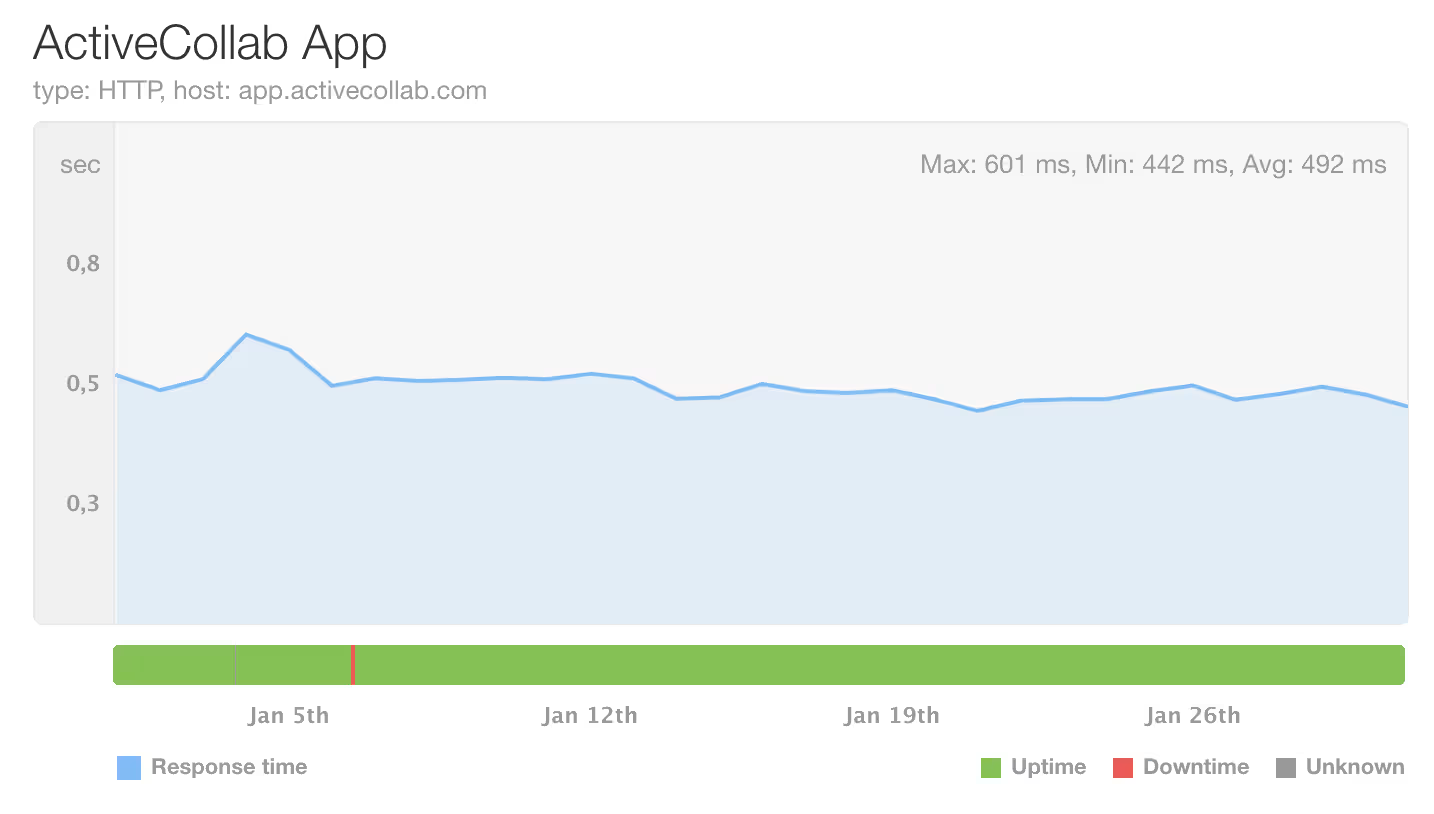
During this period, ActiveCollab’s uptime was 99.93% following our infrastructure refresh. If you notice that the app is down or slower than usual, feel free to contact our Customer Care Team via email or chat to us in the app.
Coming up
In February, we’ll be further polishing up Project Templates and the Apps and Integrations section, with a new Capacity Planning and Time Utilization Monitoring report coming its way, too. Stay tuned!