Hello, everyone! Welcome to ActiveCollab’s latest updates! In November, we updated the Projects report, Clients, and Addresses.
In December, we worked on exciting things:
task estimate splitting,
project templates,
Invoices report, and
ActiveCollab self-hosted version 8.
Read on to learn more!
Task estimate splitting
With task time estimate splitting, you now have more flexibility in managing multi-day tasks. This often requested feature will help you better manage your workload, plan capacity, and coordinate all your daily and weekly tasks much more efficiently.
Up until now, you could split a 15-hour task set Monday-Friday in 5 even 3-hour chunks. This approach was a little rigid as it left you no room for adjustments.
However, with this new feature, you can edit the number of hours you want to spend working on a task each day, with the remaining time automatically updated.
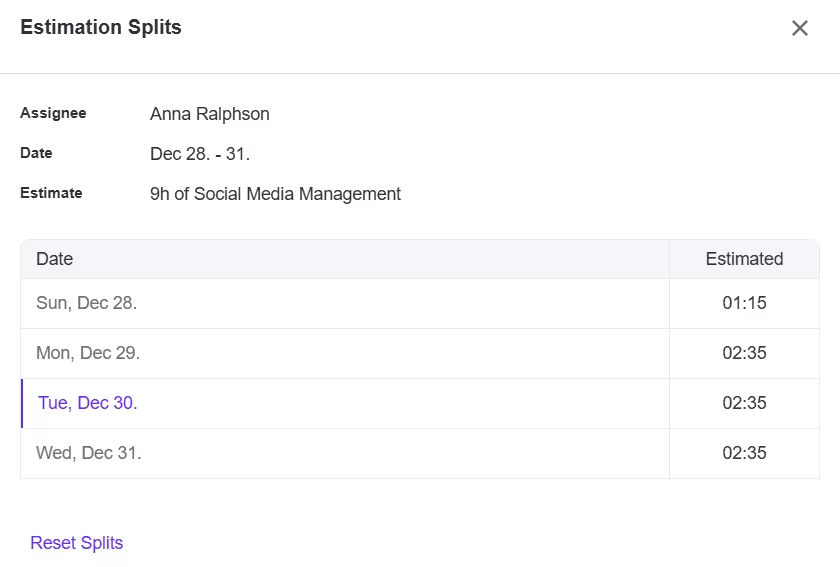
You can leave 3 hours on Monday, skip Tuesday to work on something else, do 3h45min on Wednesday, 5 hours on Thursday, and 3h15min on Friday to finish up.
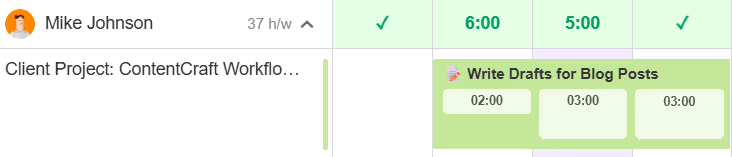
You can also split task time estimates in Workload. See how these changes affect other tasks and your overall workload for that period. Adjust using drag-and-drop to make sure no one’s over capacity and unable to complete work on time.
Project templates
Since more than 50% of you start new projects from a template, we redesigned project templates to make them more intuitive and easier to manage.
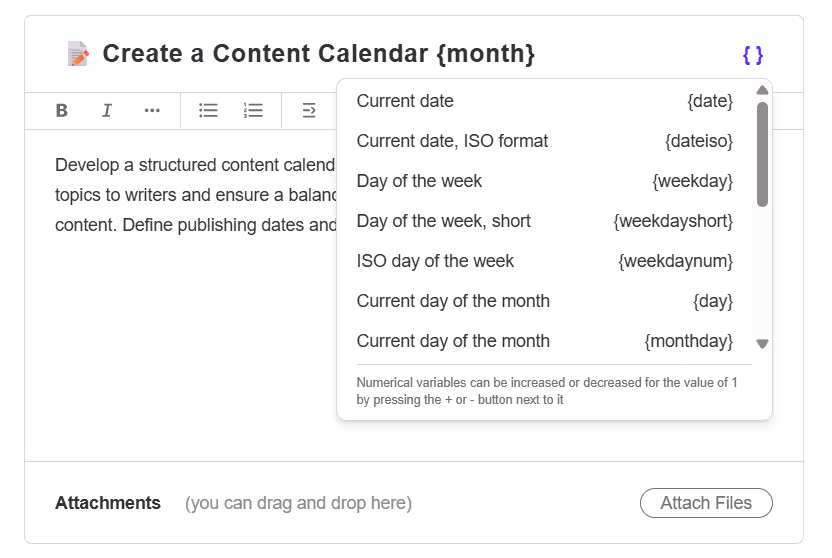
We improved the overall look and feel of project templates, added dates to subtasks, and time variables.
With time variables, you can set date placeholders, with dates automatically added the moment you create a project from a template. This is super useful and time-saving if you’re creating a content calendar or a monthly planning template - no need to edit or check multiple times for omissions.
Invoices report
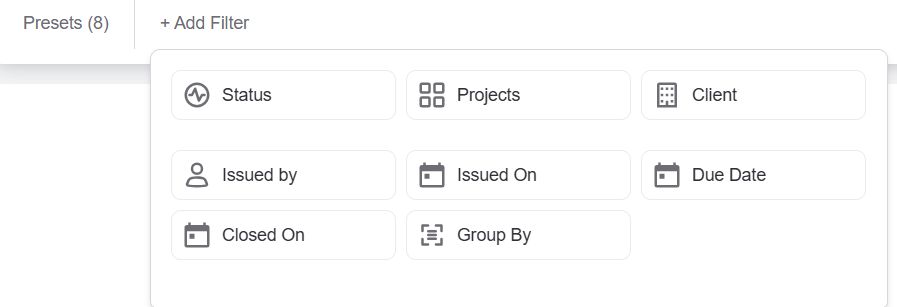
The Invoices report now looks nicer and it’s easier to navigate. We included more filters and grouping options you can use to further customize your invoice reports. Save filter combinations as presets, and get your results faster every upcoming time.
ActiveCollab self-hosted version 8
With ActiveCollab cloud version 8 released last year, we spent a big part of 2025 working on the self-hosted version.
We’re thrilled to announce the official launch is scheduled for February 3, 2026. We’ll be releasing updates in batches, with the first batch out on December 30, 2025. Before the platform is available to everyone with a valid subscription, select users will get a chance to test it out and share feedback.
The self-hosted version will be upgraded to version 8 and include over 100 new and improved features that will help you improve productivity, workload management, and capacity planning, among many other things.
Check out the video summary of the December updates for a walkthrough:
Uptime
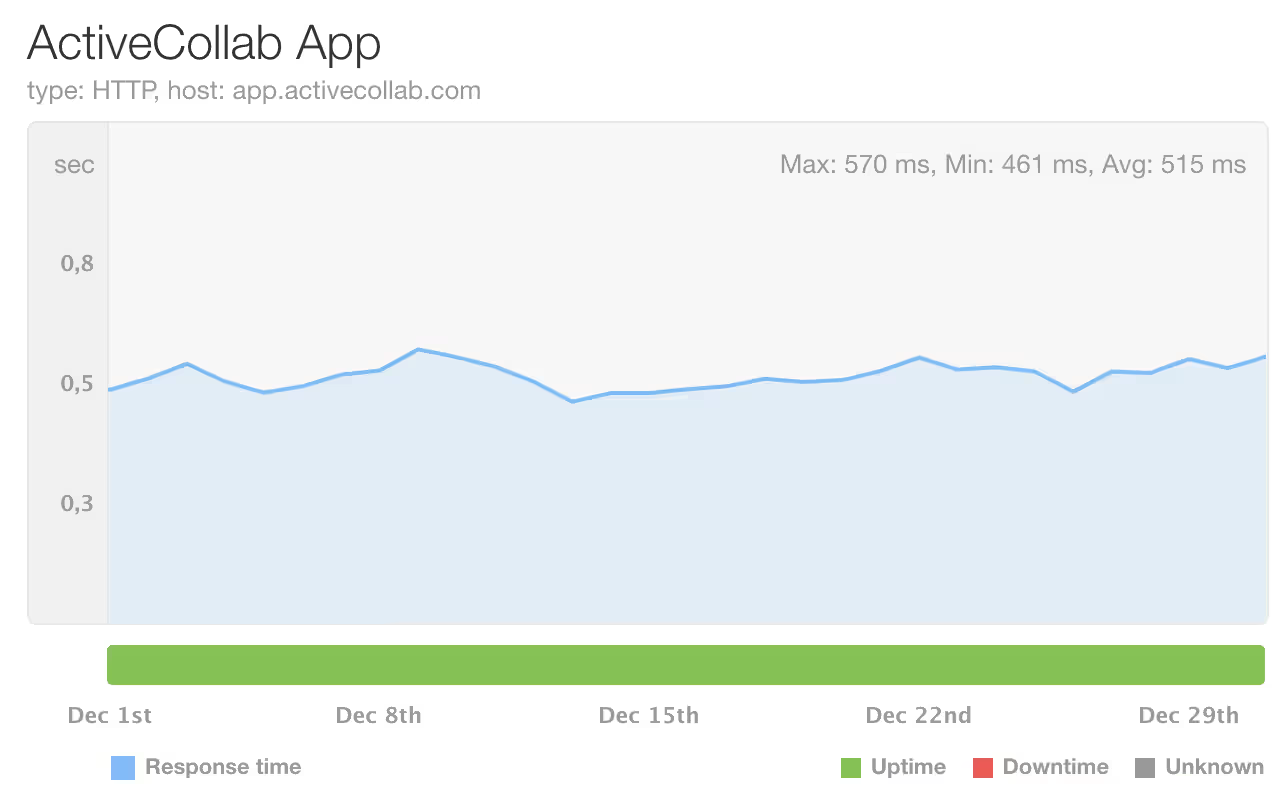
During this period, ActiveCollab’s uptime was 100%. If you notice that the app is down or slower than usual, feel free to contact our Customer Care Team via email or chat to us in the app.
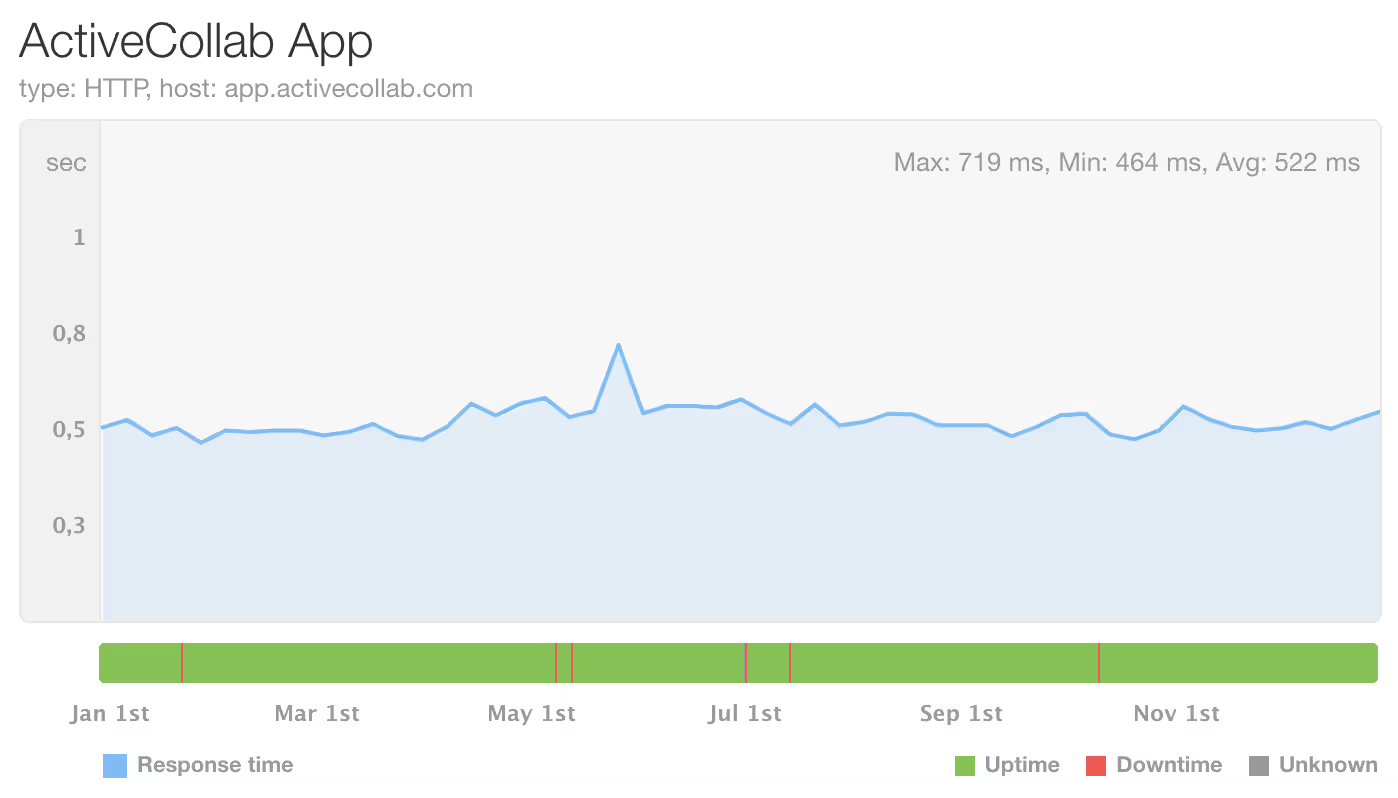
Our average uptime throughout 2025 was 99.99%.
Coming up
We’ll be spending January finishing up Self-Hosted v8, and working on client payments and the Payments report. Stay tuned!