Hello, everyone! Welcome to ActiveCollab’s latest updates! In January, we worked on ActiveCollab self-hosted 8 updates, better Invoices and Payments reports, and an improved client payment interface.
February was equally exciting, with:
new Capacity and Utilization report,
redesigned Add-Ons section,
better way to issue API tokens,
several product enhancements.
Keep reading to learn more about each update!
Capacity and Utilization report
If you’re looking to optimize productivity without burning your team out, capacity planning and time tracking are key.
You need to know how much time your team has available and how much time they usually spend on tasks, so you can plan ahead and allocate resources realistically.
So far, in ActiveCollab, you could:
set individual rates and capacity,
set task time estimates and deadlines for better workload management,
track time spent on tasks and projects,
get detailed timesheets,
monitor project progress and analyze productivity.
Now, we’ve taken it a step further.
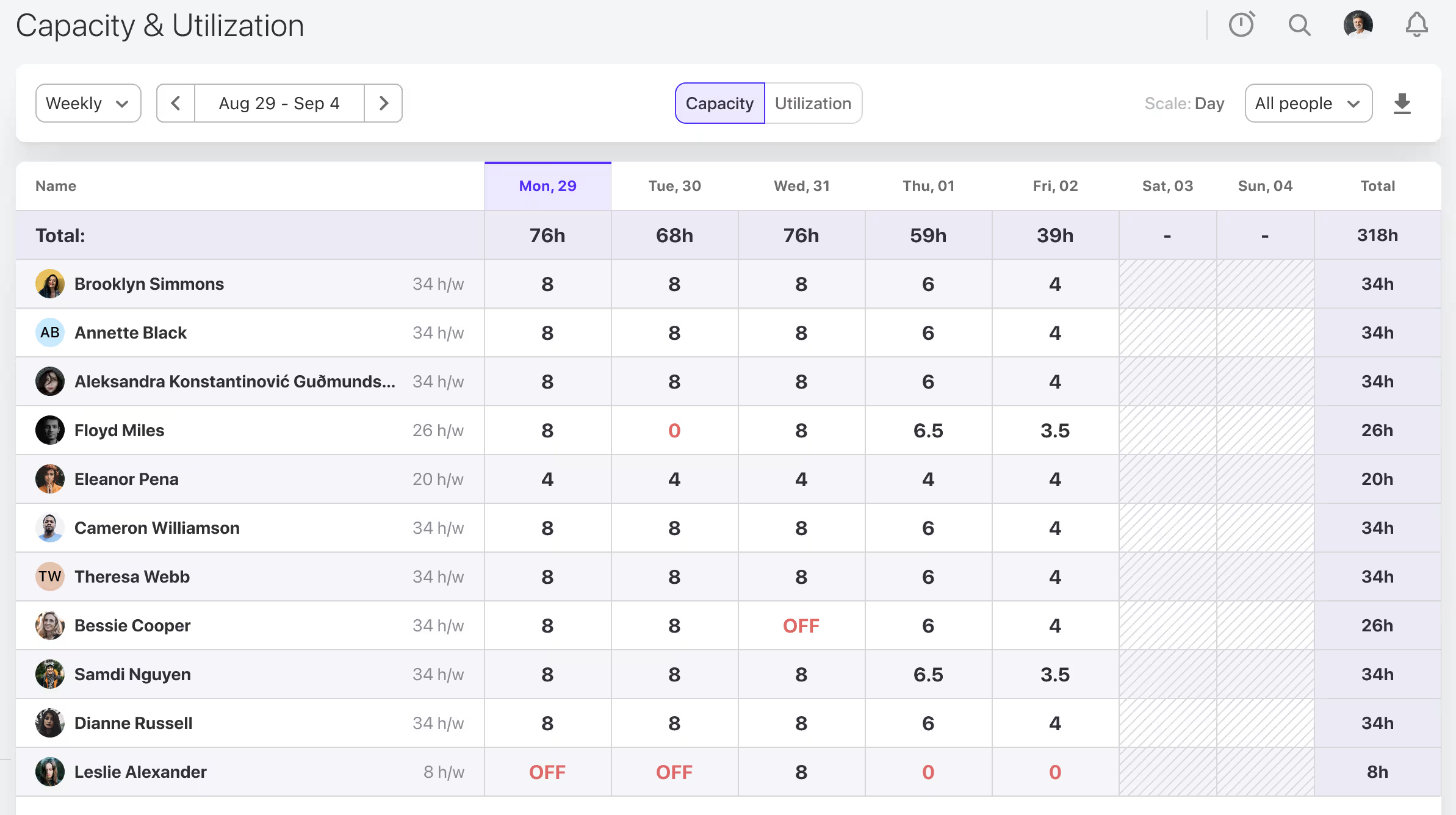
With the new Capacity and Utilization report, you get a complete overview of your team’s capacity over a selected period (week, month, quarter, or year). You can see exactly how many hours each team member has available, excluding time off, weekends, and holidays.
Switch to the Utilization tab, and you’ll see how logged billable hours compare to total available hours. The report is color-coded, so you can easily spot who’s over capacity and who has room to take on additional work.
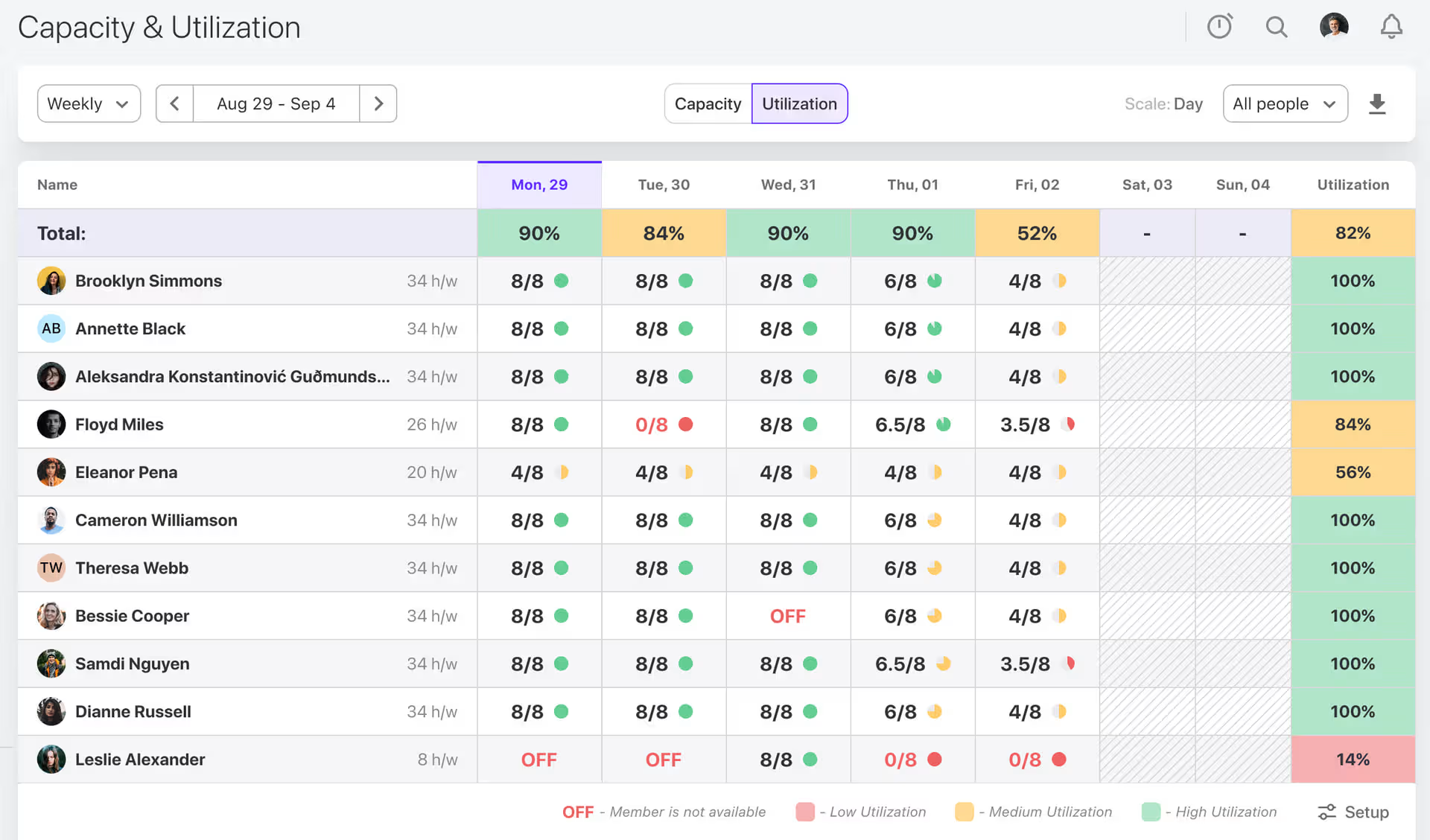
It’s a clearer way to balance workloads and see how efficiently your team’s time translates into revenue.
Redesigned Add-Ons
Add-Ons are now called Apps & Integrations, and you can find them under System Settings (click on your workspace profile picture).
We reorganized the section to make it easier to navigate, grouped integrations into categories, and removed outdated ones.
And if there’s an integration you’d like to see in ActiveCollab, email us at support@activecollab.com.
API token management
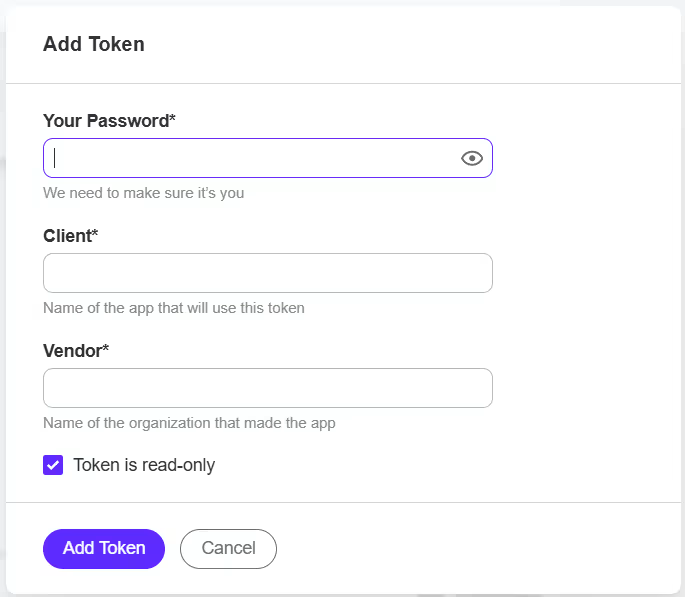
Generating API tokens is now simpler—all you need to do is fill out a short form, right from your workspace!
You can mark your token as read-only for an extra layer of security (optional), and then copy the generated code snippet to start using the API.
And, don’t worry, you’ll still have access to all your previously created API tokens.
Quality-of-Life Improvements
We made a few adjustments to make your workspace more convenient:
Template subscribers
Add subscribers to project template tasks, recurring tasks, discussions, and notes. When you create a project from that template, the subscribers will already be included—especially helpful if similar people work on similar projects.
Multi-session stopwatch
You can now submit time records without removing the active stopwatch. If you track time on the same task across multiple days, but prefer submitting daily entries, you won’t need to reselect the task each time—the stopwatch will be ready when you come back.
Project-wide notifications
Subscribe to all project notifications to stay fully in the loop. You can also set reminders and return to important notifications whenever you need.
We made several smaller improvements to make your day-to-day ActiveCollab experience even better. 😊
Check out the video summary of the February updates for a walkthrough:
Uptime
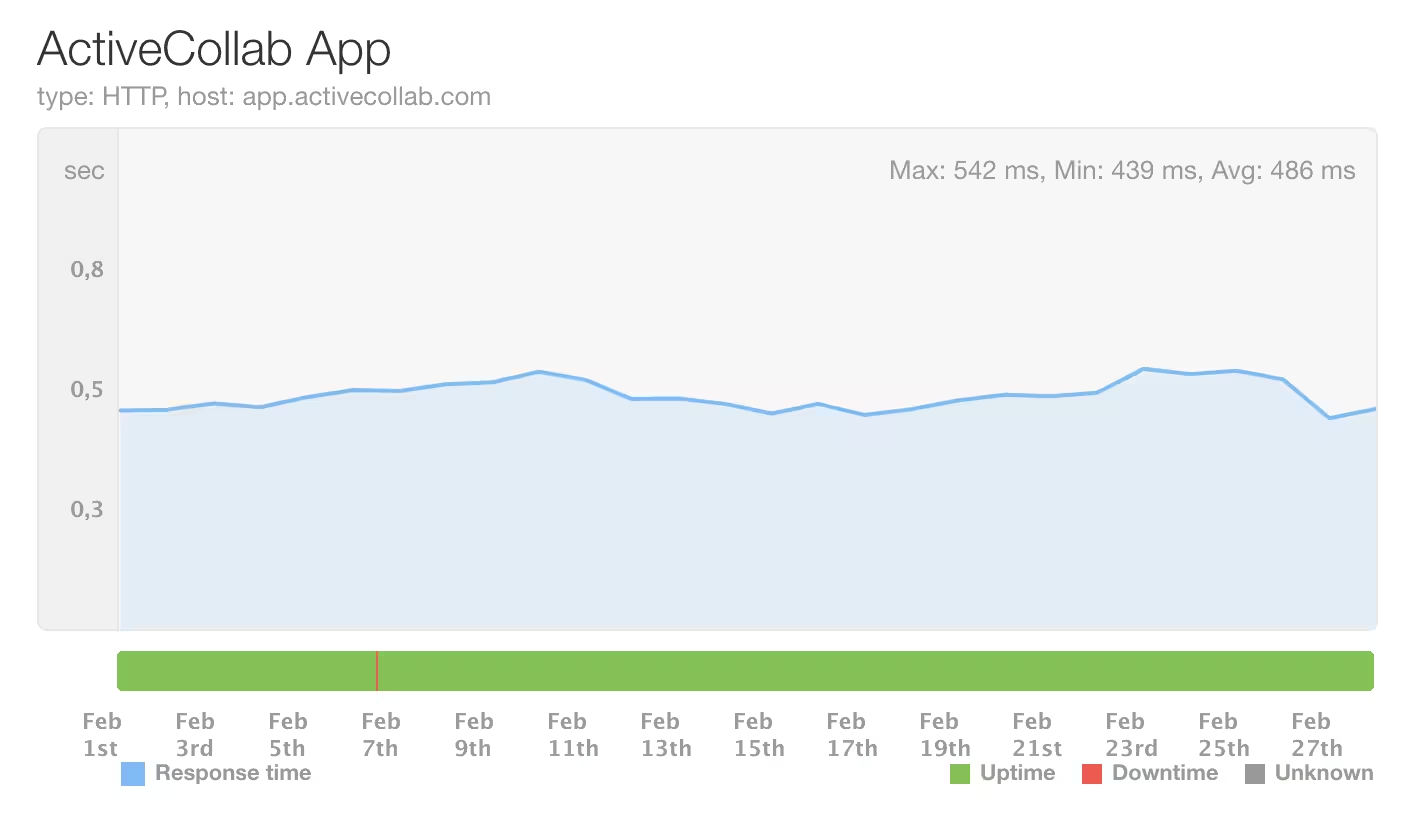
During this period, ActiveCollab’s uptime was 99.85%. We had a minor issue, but it's been fixed. If you notice that the app is down or slower than usual, feel free to contact our Customer Care Team via email or chat to us in the app.
Coming up
We’ve got great things coming up in March: multiple assignees, Cost Summary report improvements, and—this is huge—ActiveCollab MCP Server! Stay tuned!