What’s New
What shipped, what it means, and how we build it. The changelog, the monthly recap and the longer reads from the team.
 Latest recap · October 10, 2026
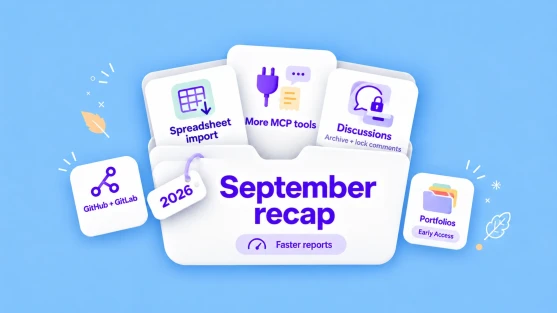
September Recap 2026: Project Portfolios, import from spreadsheets, archived discussions, and much more
September 2026 in ActiveCollab: Project Portfolios (Early Access), spreadsheet import, archived discussions, locked comments, new MCP tools and more.
Read the recap
Latest recap · October 10, 2026
September Recap 2026: Project Portfolios, import from spreadsheets, archived discussions, and much more
September 2026 in ActiveCollab: Project Portfolios (Early Access), spreadsheet import, archived discussions, locked comments, new MCP tools and more.
Read the recap
Changelog
Full changelog- Calendar View for Project Tasks Early accessCloud only See your project's tasks on a month or week calendar, and drag them to new dates.
- New Project Timeline The project timeline is rebuilt from the ground up. It stays fast on large projects, and you can drag tasks to new dates and draw dependencies right on the chart.
- Availability Report and MCP Tools See all team time off for any period in one report, and export it for payroll or HR. Your AI assistant can also tell you who is off and add time off for you.
- Clean Up Your Labels Merge labels that mean the same thing. Owners can merge global labels in System Settings, and project managers can merge the labels of their projects. Their tasks move to the label you keep, and the old label is deleted.
- Connect GitHub and GitLab Cloud only See where each task stands in code without asking a developer. Branches, pull requests, and build status show on the task and in the task list, and developers can complete tasks and log time from their commits.
- Project Portfolios Early accessCloud only See how each client, team or type of work is doing on one screen, without opening every project. Late tasks and tasks over their estimates stand out at a glance.
Monthly recaps
All recaps
From the team
All posts-

Control and manage your entire business with ActiveCollab Self-Hosted 8
What’s new since the 8.0 releaseTwo updates have landed for self-hosted installs since this post first went out.Two-factor authentication. Your team can now switch on a second step at login. ActiveCollab emails a one-time code, and each person also gets a set of backup codes for the times they cannot ...
-

Workload just got smarter: plan work and organize your team with confidence
In a perfect world, your team would have unlimited time and resources to take on every exciting project that comes your way.In reality? You’re juggling shifting priorities, last-minute changes, scope creep, and sick days—all while trying to keep projects moving.That’s where smart planning makes ...
-

Stay on top of your projects with ActiveCollab Project Progress Menu
While ActiveCollab Assignments Dashboard and Reports can give you a lot of information about your projects, time, team performance, and budgets, we understand that you don’t always have time to create and analyze specific reports.We implemented the Project Progress Menu to make project progress tracking ...