Hello, everyone! Welcome to ActiveCollab’s latest updates! In February, we worked on the Capacity and Utilization report, the Add-Ons section, API tokens, and several other things.
This month, we’re bringing you one major and one smaller update:
MCP Server,
Better Cost Summary Report.
Let’s take a close look at these.
MCP Server
ActiveCollab has officially become AI native!
While you can already use AI to generate task lists and subtasks in ActiveCollab, we wanted to enable you to do more with AI. More than plain research, brainstorming, and writing.
So we built an MCP (Model Context Protocol) Server instead of another AI model.
Imagine a secure bridge (or a USB) that lets your AI “see” inside your ActiveCollab workspace. Instead of you copying data to AI, your AI assistant reaches into ActiveCollab, understands the context, and does the work for you. It doesn’t act on its own, though – it only executes the tasks you ask it to do.
Say you have Claude for Desktop installed. You can prompt it to:
create projects, log hours, and manage tasks,
leave comments in your name,
organize project notes and generate summaries,
analyze project data, and more.
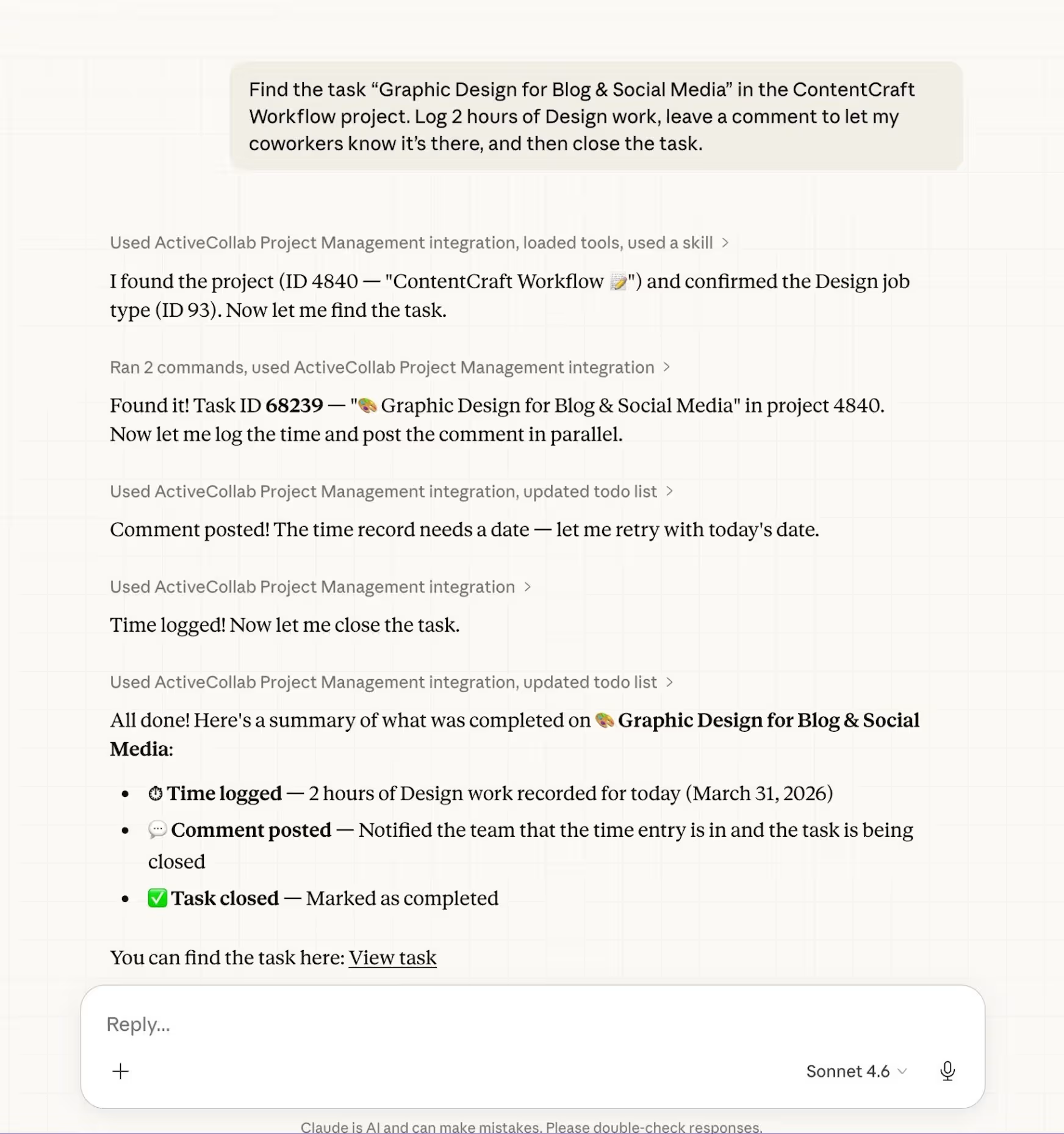
Connecting your AI to multiple servers opens up a sea of possibilities: to name a few, you can run cross-platform analysis, move data between systems, and build reports.
Just recently, our Head of Operations used Claude to pull job applications from LinkedIn into ActiveCollab. In one go, the AI analyzed the resumes, formatted the details, and then created individual tasks with brief summaries for each candidate in ActiveCollab. It even organized them into task lists by role, giving our Head of Operations a neat, bird’s eye view of all applicants. Instead of spending hours on admin work, he was ready to proceed with recruitment.
What makes an MCP server better than an in-house AI model is that you can use any AI model you want with a single integration. No waiting for updates, no vendor limitations, no data training.
The risk of AI hallucinations is also significantly reduced because AI accesses your project data in real time. It processes that information to provide consistently accurate outputs.
Of course, we take security seriously, which is why you can make AI access read-only. You can set it up so it only views your data, without the ability to modify anything (like organizing notes). Plus, the AI can never delete anything in your workspace.
At the moment, only users with the Owner role can access the MCP Server. We’re working on making it available to others soon.
Learn more about how our MCP Server works here.
Improved Cost Summary Report
Get a live look at your project’s financial health. The Cost Summary Report gives you a complete breakdown of internal costs (team labor) and project expenses (both billable and non-billable).
With new filtering options, you can analyze data by period (weekly, monthly, quarterly, yearly) and group it by job type or team member.
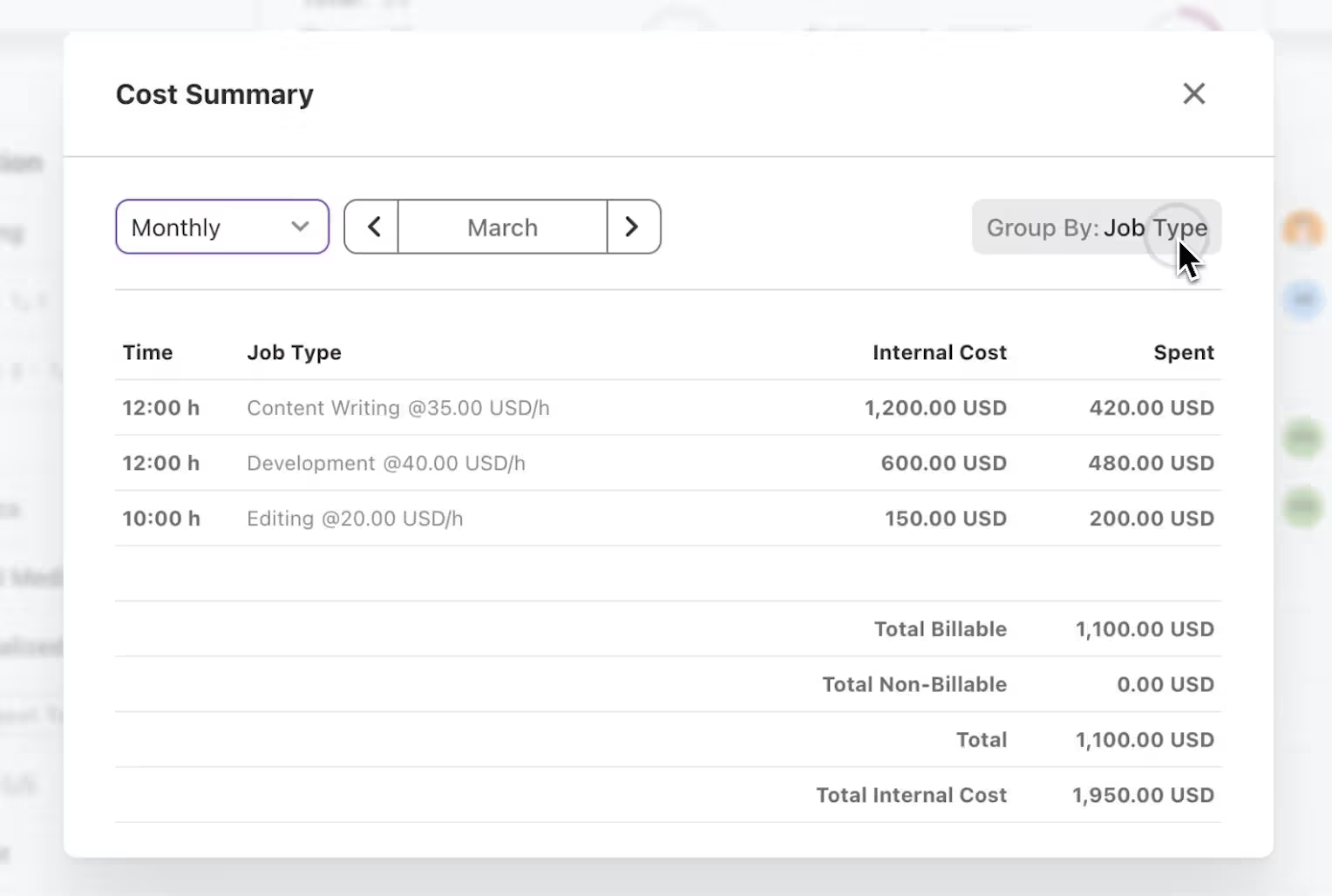
You’ll get an instant view of logged hours, internal costs, and spent amounts (itemized by billable and non-billable expenses) with clear totals at the bottom.
In addition to live profitability tracking, the Cost Summary Report gives you the precision you need where your budget – and your team’s effort – is being spent. By spotting which job types are high in demand (see logged hours), you can quickly identify your most profitable services or catch potential inefficiencies before they impact your bottom line.
Check out the video summary of the March updates for a walkthrough:
Uptime
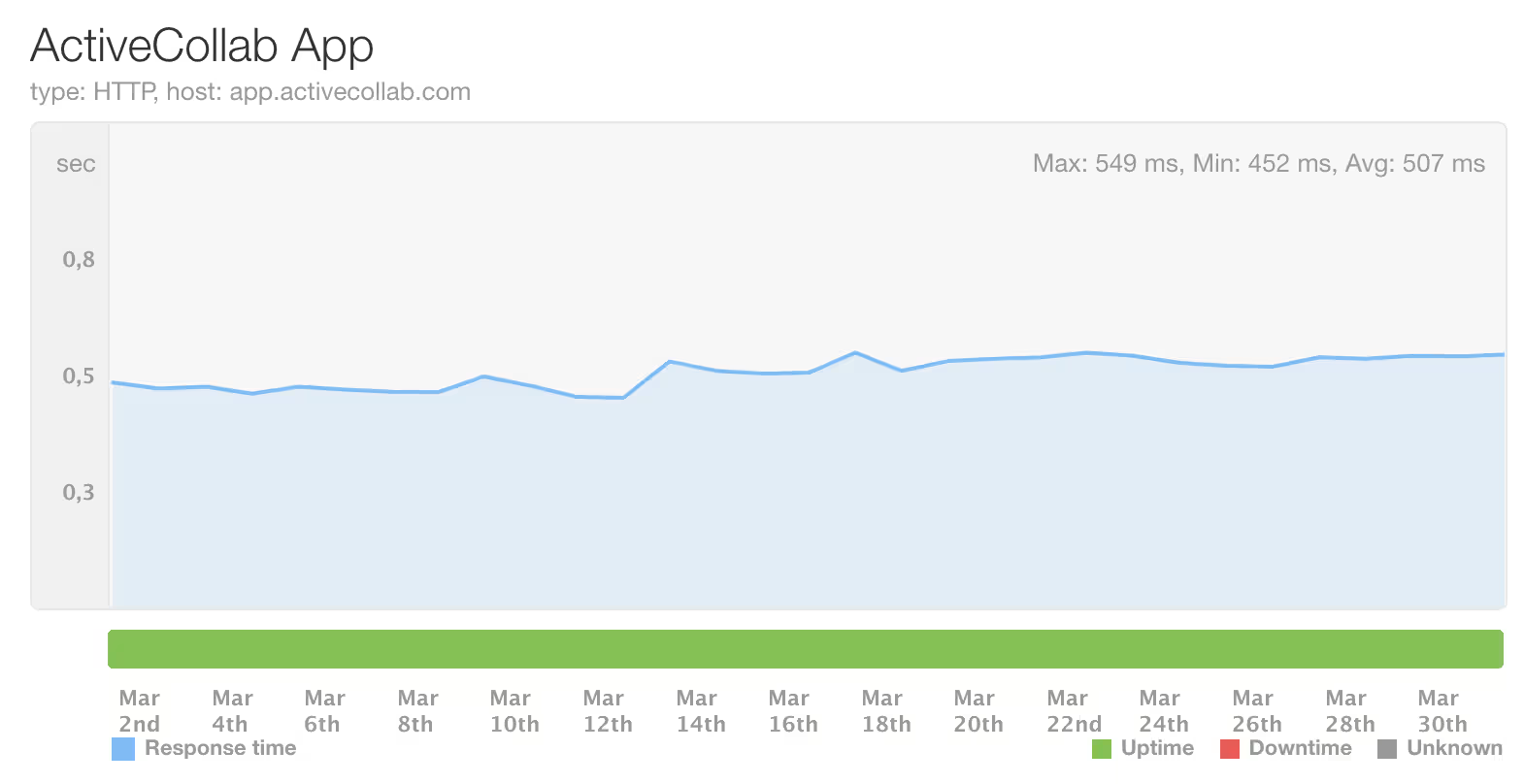
During this period, ActiveCollab’s uptime was 100%. If you notice that the app is down or slower than usual, feel free to contact our Customer Care Team via email or chat to us in the app.
Coming up
In April, we’ll be working on GitHub-ActiveCollab connection, and multiple task assignees with individual time estimates. Stay tuned!