A connection links a GitHub organization or a GitLab group to ActiveCollab. Owners manage connections under Apps & Integrations. This article covers replacing expired credentials, setting client access, and archiving or restoring a connection.
Replace an expired GitLab token
A self-managed GitLab connection uses an access token that can expire. ActiveCollab sends an email warning before the token expires, so you can replace it in time.
To replace the token:
- Open the GitLab connection under Apps & Integrations.
- Open the connection menu and choose to replace the token.
- Paste the new token.
The connection keeps its linked data. You do not lose the links on your tasks.
If the token stays expired for 7 days, ActiveCollab archives the connection and sends one notification asking you to reconnect it. To use the connection again, see Archive and restore a connection.
Show code progress to clients
Clients do not see linked source by default. Each project decides whether its clients see the Source Code section.
To let clients in a project see linked source, turn on the project setting that shows source to clients. With the setting off, clients see nothing about the linked code.
Note
This setting is per project and off by default. Turning it on in one project does not affect other projects.
Archive and restore a connection
Archiving stops a GitHub organization or GitLab group connection without removing its links from tasks. The connection makes no provider calls, its webhooks are removed, and its stored credentials are cleared.
Only an Owner or a Project Manager from the owner company can archive a connection.
To archive a connection:
- Open Apps & Integrations and select GitHub or GitLab.
- Open the connection menu.
- Select Archive.
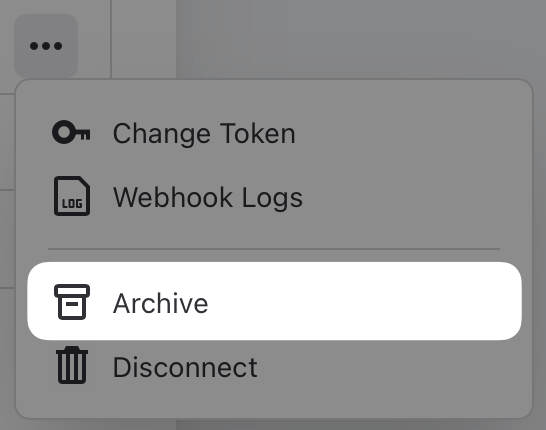
To restore an archived connection, connect the same GitHub organization or GitLab group again. Its existing task links become active with the restored connection.