
Hello everyone,
Yesterday was the first day that I had to wear long sleeves in the evening. That's a good reminder that the summer is over, and it is time to look back at what shipped since our last recap.
It was a busy season, and we have a lot to show for it:
- Better access for AI agents through MCP
- Multiple assignees on a task, with per-person estimates
- Timesheet, Capacity and Utilization merged into one Time tool
- A steady stream of self-hosted improvements
- Two new desktop apps, in both app stores
- GitHub and GitLab integration (Early Access)
So buckle up: this is going to be a lengthy one.
Better access for AI agents
Our MCP server was released back in March, and it proved to be a powerful new way of working. ActiveCollab is a place where your plans are written down and refined, and people and agents can access and manage that data to do the actual work and send back the status.
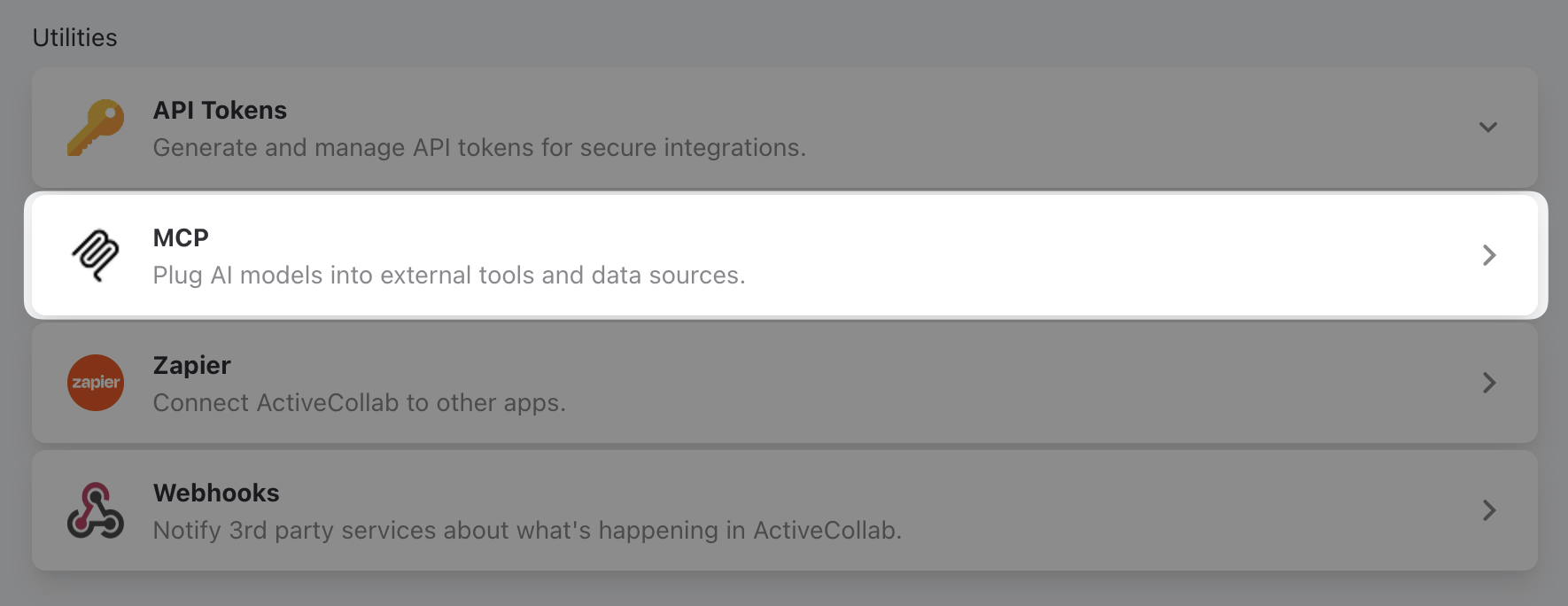
Over the summer we made working with AI agents faster and simpler in four ways:
- Everyone in your organization can connect their agents to ActiveCollab MCP, because regular members got access to the Apps & Integrations page,
- New and improved MCP tools. Over time, we added new tools and extended existing ones so agents can do more,
- Easier referencing of project elements. All relevant elements have a Copy Link option. When you see an ID (#123), just click it to copy a reference and paste it over to the agent for direct access,
- Owners can restrict access to particular tools and their features on the System Settings > Security page. You don't want agents to be able to access notes, for example? Not a problem.
Multiple assignees per task
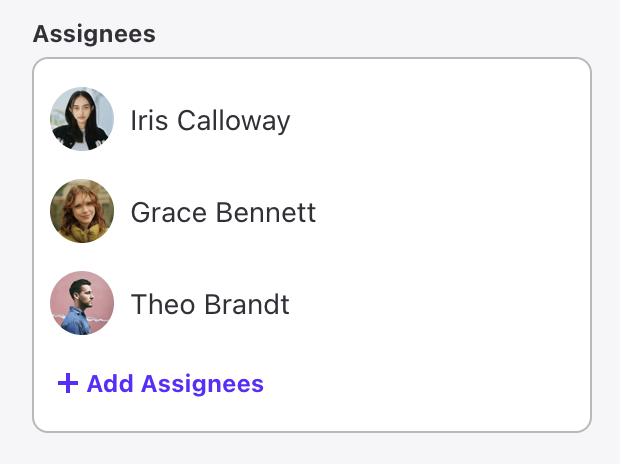
Real work is rarely one person's job, and now a task can show that. You can assign a task to more than one person. In its simplest form, it looks like this:
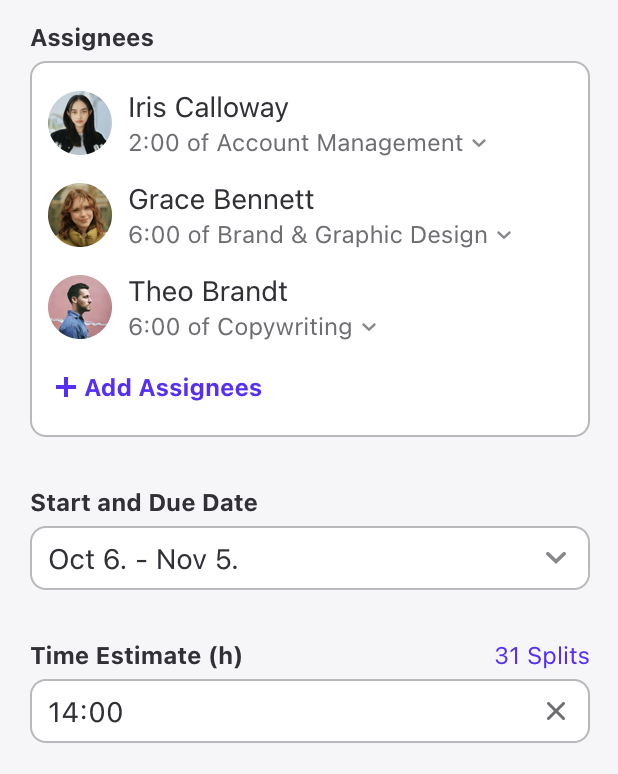
But work in ActiveCollab is not just about assigning work. It's about planning ahead, and making sure that things go according to plan. To enable that, each assignee can have their own hourly estimate and work type:
This assignment model offers some great benefits:
- Clearly defines a task as a team effort, as it usually is in projects. Put a designer, a copywriter and an animator on the same task. No more duplicating a task per person or hiding the real team behind a single "owner." Everyone needed is on it, with their own slice and expertise,
- Per-person estimates that add up to the real total. The task still has one full estimate and you decide how much of it each person owns. Leftover hours show as unassigned until you hand them out,
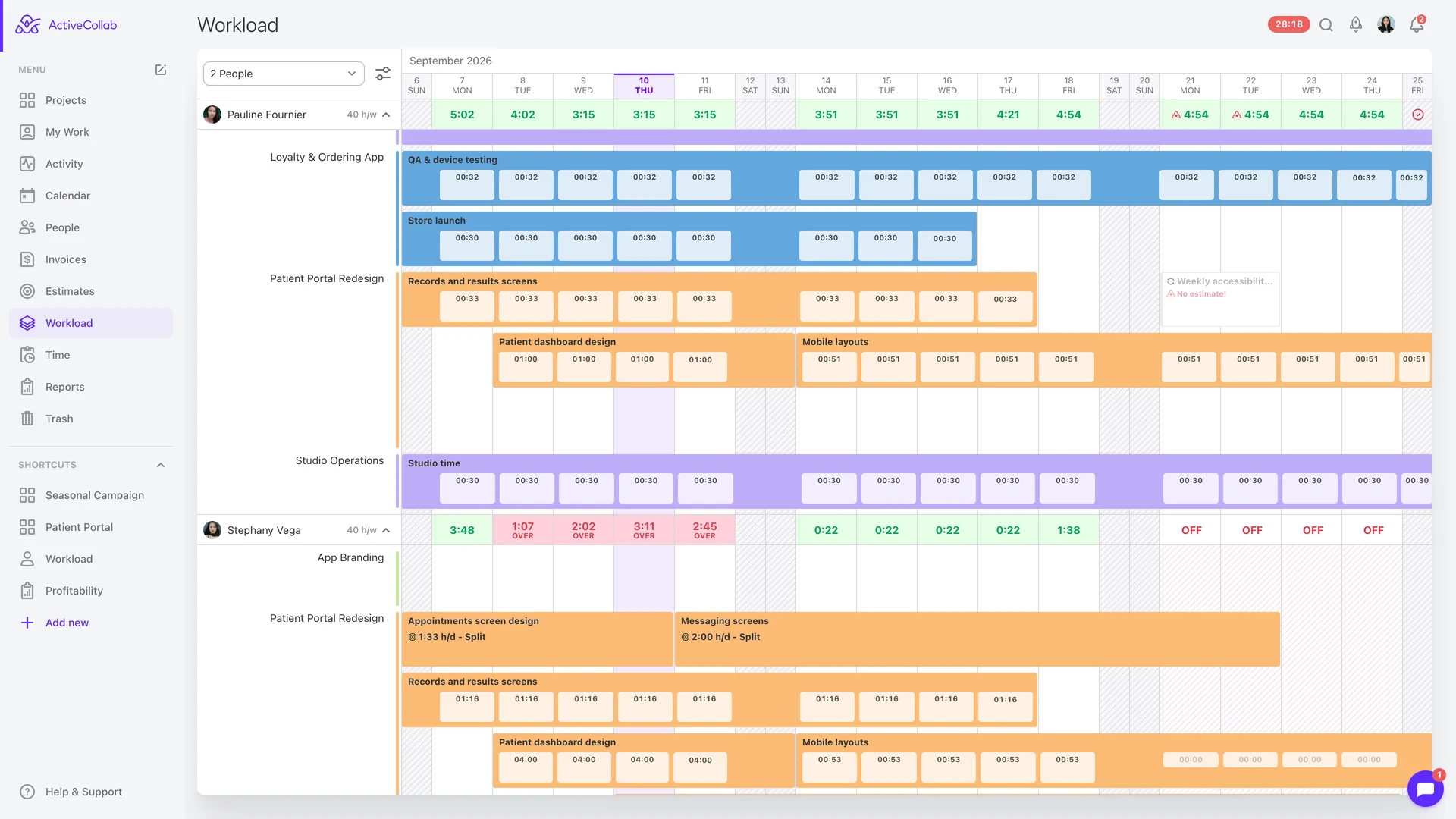
- More precise capacity overview in Workload. Because each person has their own estimate, Workload shows what each individual actually has on their plate,
- A more realistic cost estimate. Attach a job type to each person's hours and the task's estimate prices the work by role. Design time is costed at the design rate, copy at the copy rate, instead of one flat rate for everyone,
- Plan what is known, fill in the gaps later. You know the designer for the task, but don't know which developer will be available? Schedule the designer, and let the unassigned remainder be a visible reminder. When a developer is known, add them and fill in the gap,
- Plays nicely with what you already use. Recurring tasks, My Work, team tasks, day-by-day estimate splitting, calendar and reports all work with the new assignment and estimation model.
One Time tool: Timesheet, Capacity and Utilization
Timesheet, Capacity and Utilization were merged together into a Time tool. Now you have three different, complementary perspectives on how your team uses the most precious resource, time:
- Timesheet shows how much time was spent,
- Capacity shows how much time was available,
- Utilization shows how spent time contributes to the bottom line.
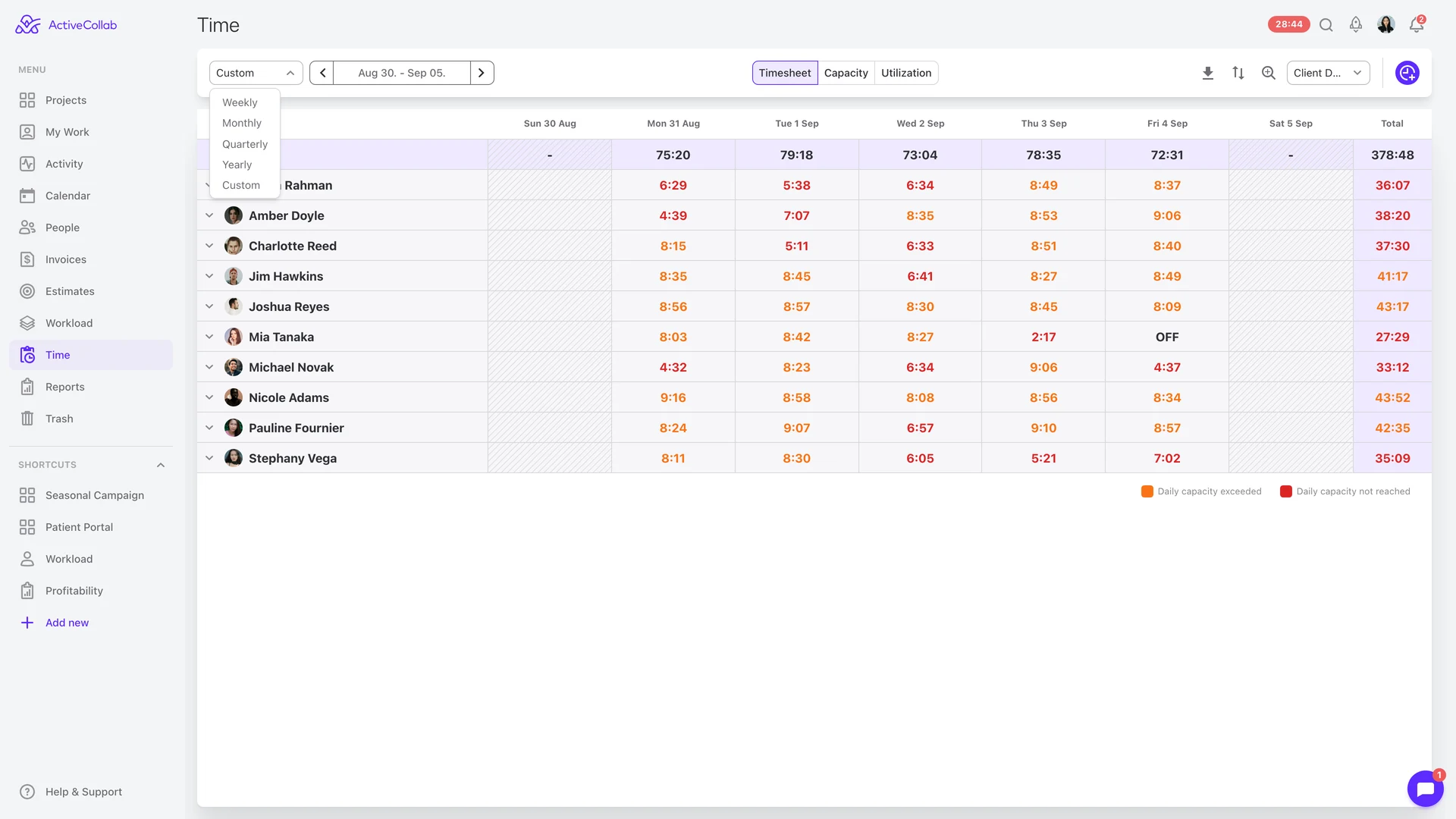
In this merge, Timesheet got a long requested feature: the option to load it for time ranges other than weeks. It now supports weekly, monthly, quarterly, yearly or a custom range, like two-week sprints, or whichever time frame you prefer.
Self-hosted improvements
The self-hosted version of ActiveCollab 8 was released back in February, and over the following months it received a steady stream of improvements: MCP server, two-factor authentication, multiple assignees, and much more.
If you are still on an older version, and are unsure whether to upgrade or not, we strongly recommend that you do. The self-hosted edition still offers you full control over your data and the platform it runs on, and version 8 brings years' worth of features and improvements.
Two new desktop apps
We did not launch just one, but two desktop apps in this period. Technically four, if you consider that both apps are available on Windows and Mac App Stores.
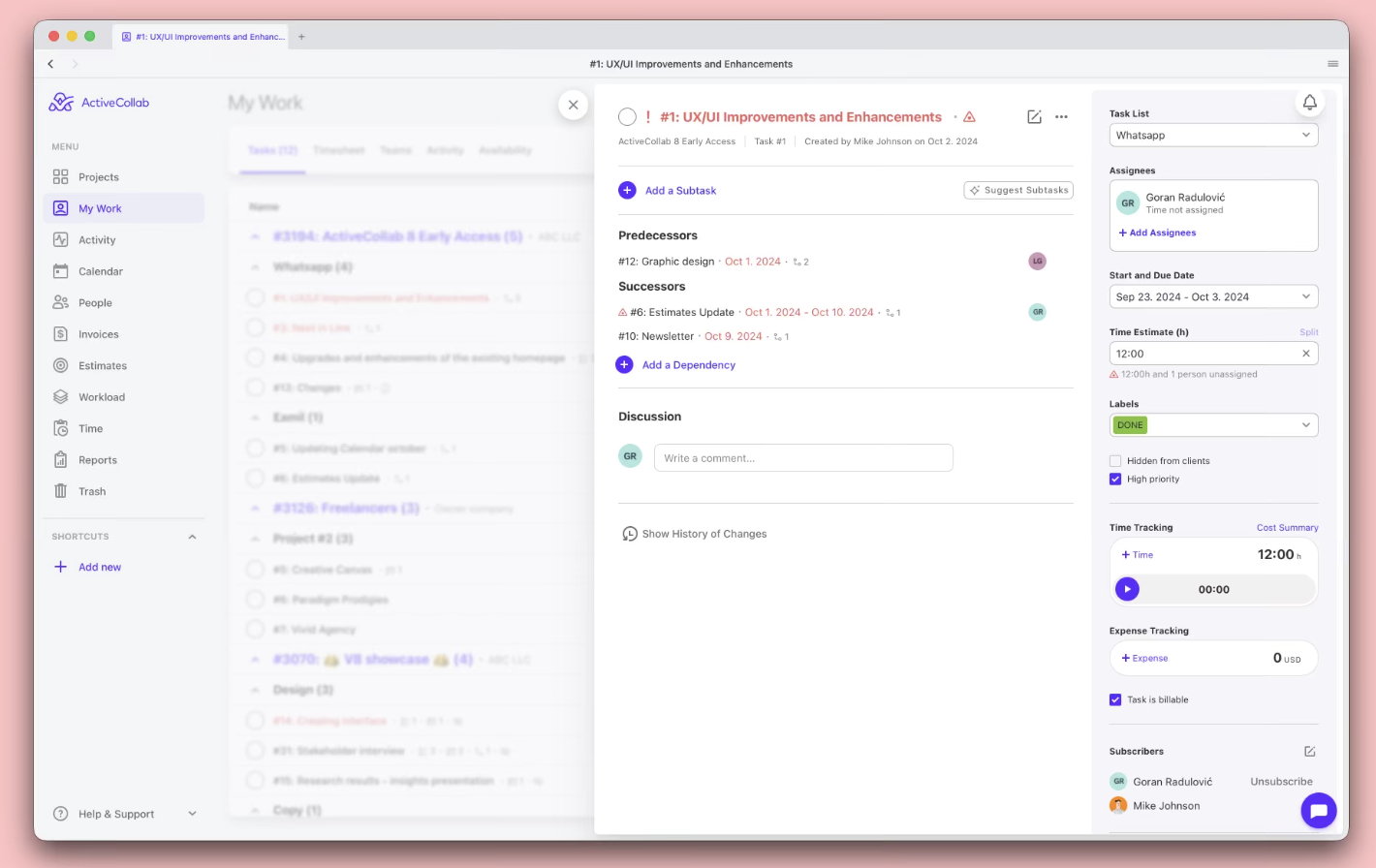
First is a rewrite of our main desktop app that lets you run ActiveCollab on your computer, instead of in a browser. The new version is designed to be much leaner and faster, and is distributed via official app stores.
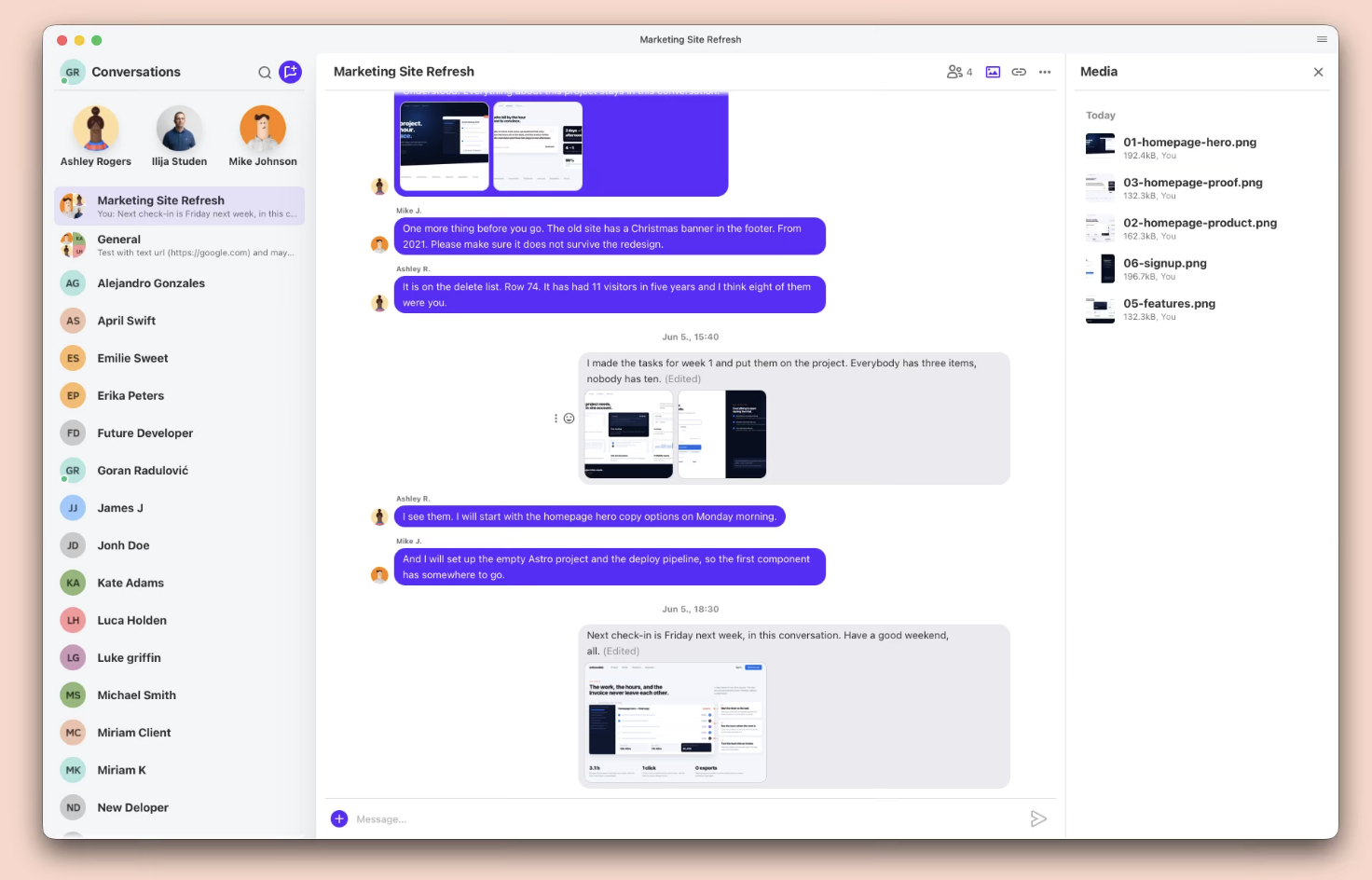
Second is an all-new ActiveCollab Chat app. Experience the full-screen chat that is already aware of your company, team, projects, and permissions. Everything you know and love about ActiveCollab, but for team chat. Also available in both Windows and Mac App Stores.
Native apps for desktop and mobile — included in every plan
GitHub and GitLab integration (Early Access)
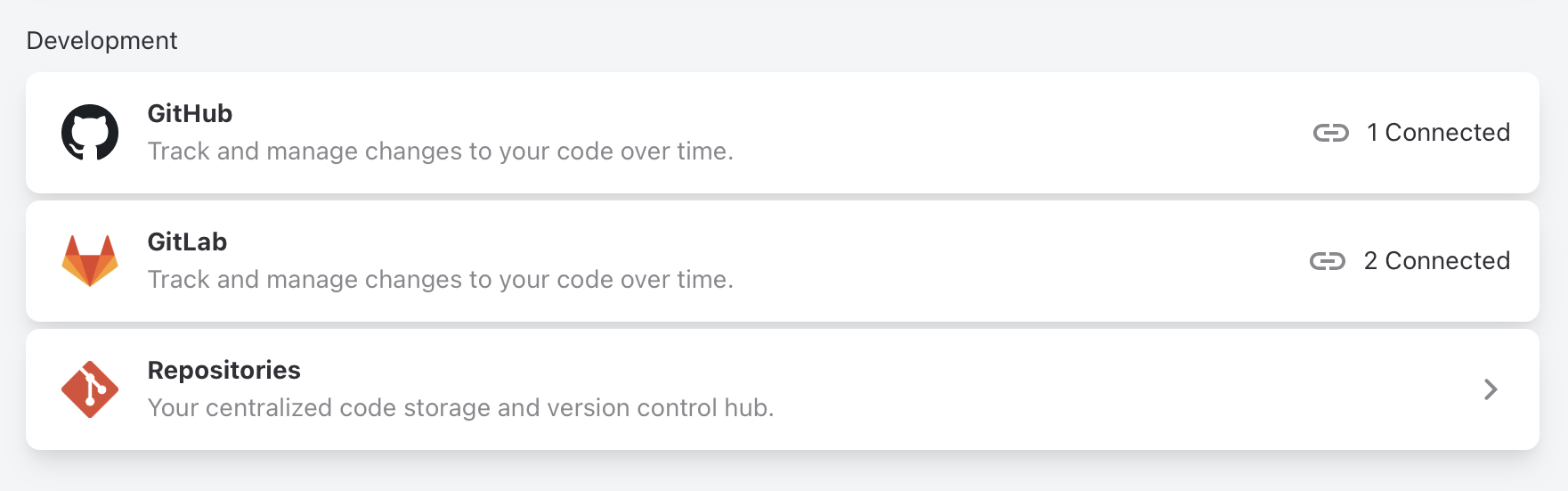
Today developers and agents are churning out code faster than ever, to the point where it's really hard to keep up with all the activity. With the new GitHub and GitLab integration we want to bring that activity to projects and tasks so progress can be easily tracked.
The benefits of bridging source code and work management software like ActiveCollab are twofold:
- Developers don't have to switch tools to track their progress. They can update task status, track time and much more using commit messages and pull requests,
- Everyone else gets timely progress reports. When something happens in the code, it is automatically reflected in projects and tasks. No need to check the code, or interrupt the developers.
Developers will love this because they can stay in the code, and send commands to the projects using commit messages and PR descriptions. As an example, by pushing a commit with this message:
Fix ranks reset when a contract is archived, closes #457600
/spend 1h 30m
/comment Verified on staging, ranks hold after archive
the developer effectively does several things:
- Links the commit's branch with the task #457600
- Marks the task #457600 to be automatically completed when its pull request is merged,
- Tracks 1 hour and 30 minutes of time under the committer's name,
- Posts a status comment.
Once a task is connected to the source code, you can monitor its full implementation lifecycle across all the relevant stages: Branch → Commits → Pull request → CI/Build → Deploy.
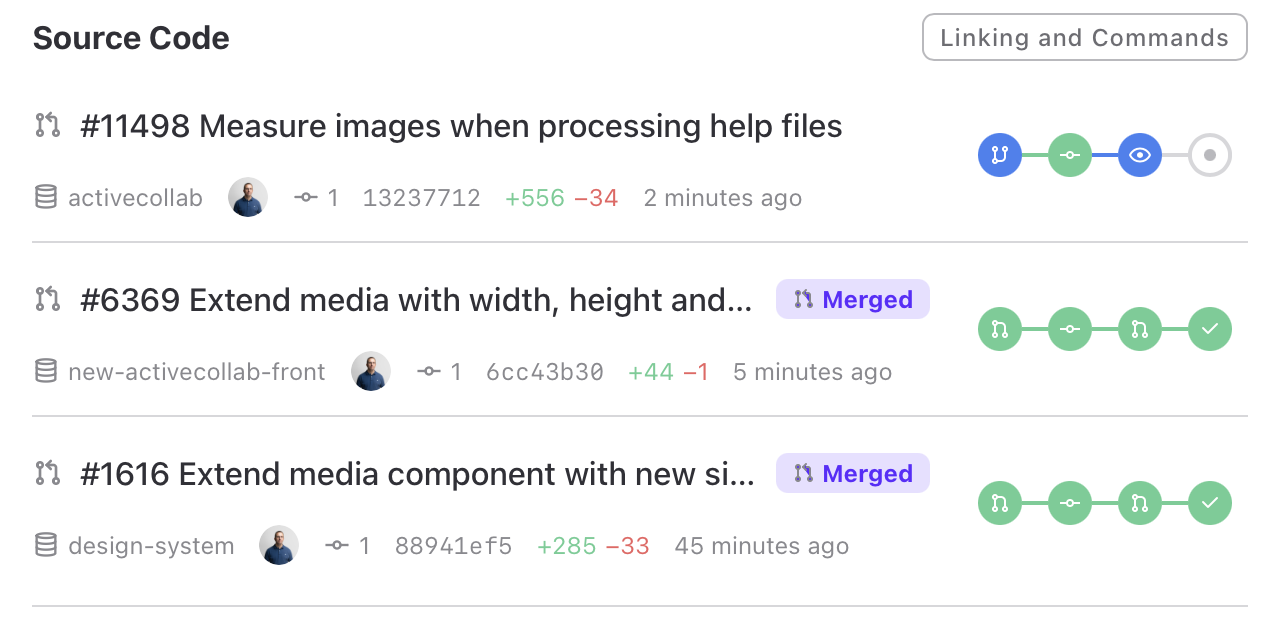
Status in ActiveCollab updates within seconds, so you can watch a task move from first commit to deployed without a single page refresh.
This is achieved by connecting your repositories with projects. Currently GitHub and GitLab repositories are supported, and we'll work on supporting other services as interest in them arises.
Quality of life improvements
We did not work just on the major features, like the ones above. We also made many quality of life improvements across the app. Let me name just a few.
Do-not-disturb mode for notifications stops push and email notifications. There are two modes:
- Temporarily snoozed, when you're in a meeting, or need some time to focus,
- Scheduled, based on your work hours, so notifications are off when you're not working.
Two new dark themes, and automatic switching between your favorite light and dark theme when your operating system switches mode.
Full rebuild of the visual editor, with a slew of bug fixes and under the hood improvements. It offers us a great foundation for further improvements.
Cloud version got quick and secure login with a passkey. On top of log-in-with-Google, we also added login with Apple ID.
See levels of activity on your Activity page. Each cell is a day, and the color represents the level of activity. The fuller the color, the more activity that day had.

ActiveCollab now asks and remembers what you prefer to happen when you double-click the text. Double-click used to open the edit form instantly, which is the wrong behavior if you just wanted to select a whole word.
Time report got an Invoice column, so you can quickly open the invoice that a time record ended up in. Additionally, we made Tasks and Time reports work much faster in many data-fetching operations.
Updated IP firewall lets you specify white and black lists of IP addresses and better control who can access your ActiveCollab account. Now enhanced and available in both self-hosted and Cloud accounts.
Specify who should be notified when tasks are completed: project leader, assignees, or subscribers.
Uptime
Uptime for the period was 99.75%. If you notice that the app is slower than usual or experience any type of problem, feel free to contact our Customer Care Team via email or chat to us in the app.
Coming up
During September, we're continuing work on GitHub and GitLab integration toward general availability of the feature. We're also working on an even easier way to connect your AI client to ActiveCollab's MCP server, as well as an all-new project portfolio management feature. Stay tuned for updates.
Ilija