Hello everyone,
It feels like only yesterday that I was writing the Summer 2026 recap, and yet it's time for a new one. September is always busy: the team is rested after the summer holidays, and some bigger projects that we worked on during the summer are taking shape.
Here's what we shipped in September:
- Project Portfolios (Early Access)
- More MCP tools for AI agents
- Import of projects and tasks from spreadsheets and CSV files
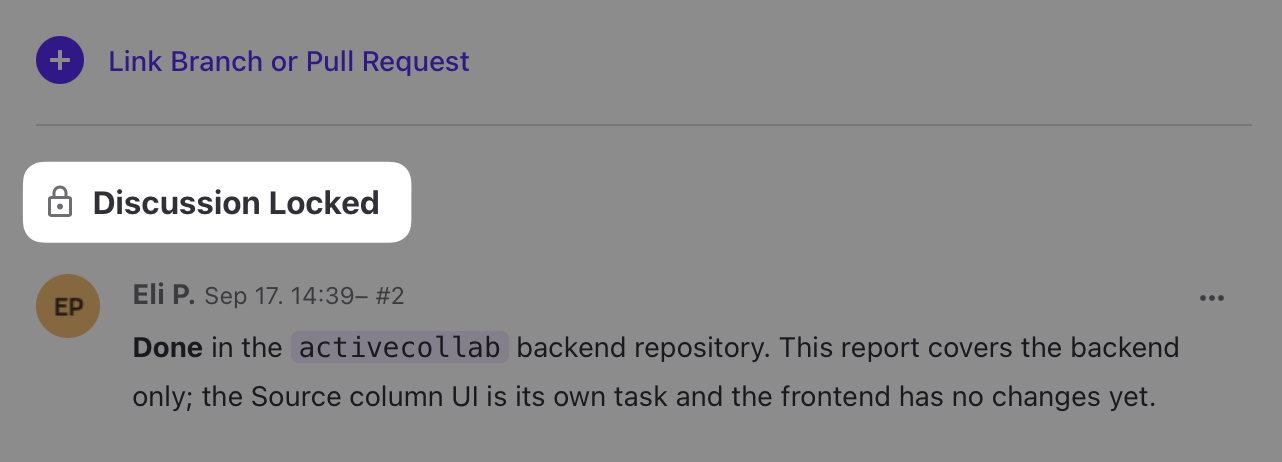
- Archived discussions and locked comments
- GitHub and GitLab integration, now available to everyone
- Performance enhancements, speed-ups and many smaller features that improve everyday use of the system
Project Portfolios (Early Access)
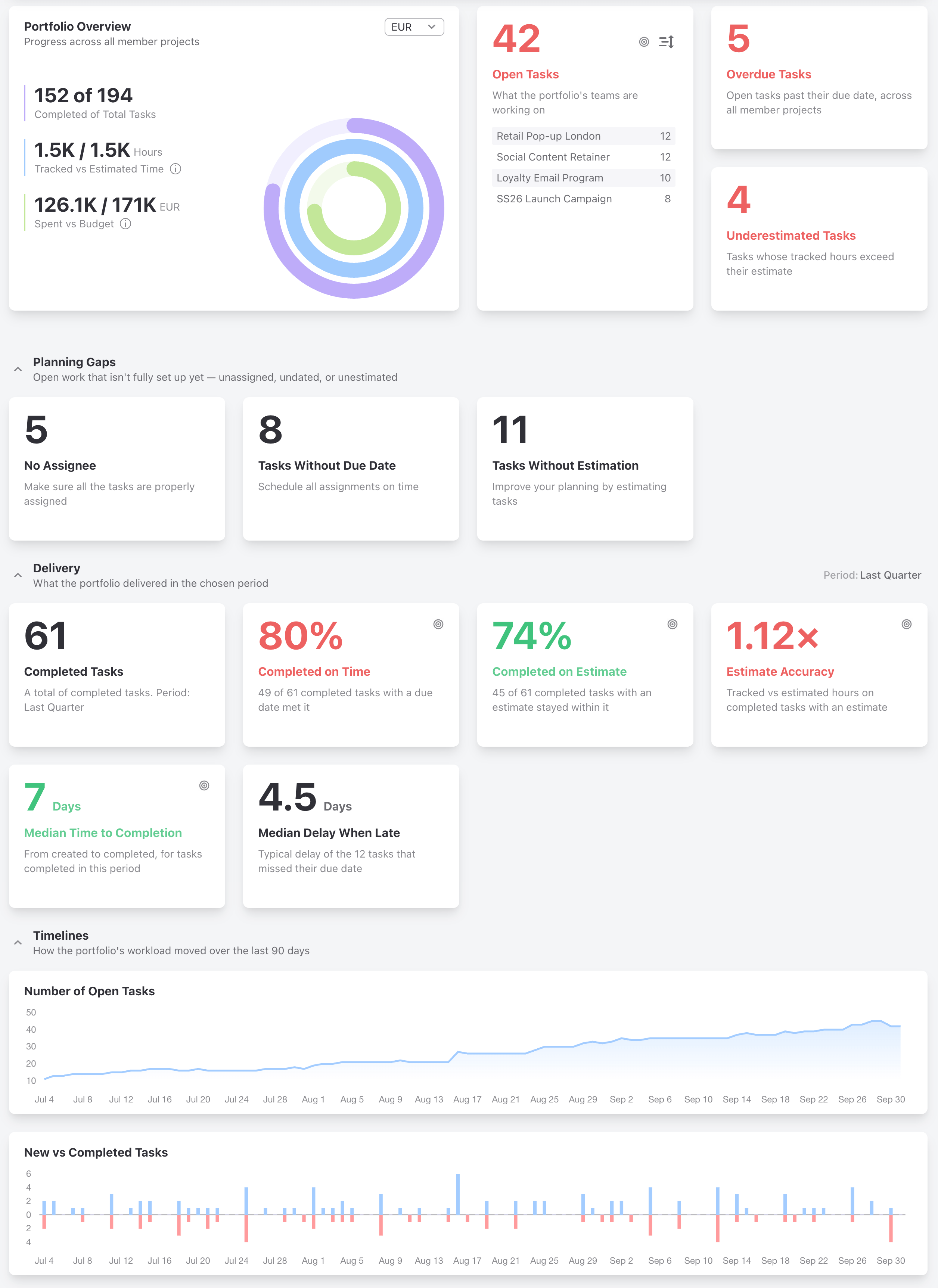
Portfolios let you create a group of related projects, and monitor their status and progress as a unit. You can monitor projects for a particular client, projects in a specific category, projects led by a particular user, or any custom group of projects of your choosing. ActiveCollab shows you important metrics, and highlights whether you are hitting your targets or not.
AI and MCP improvements
With each new iteration we are adding new tools and improving existing ones, so AI agents can do more for you. September was no exception: we added new tools for working with expenses and chat. We also added a new set of tools for working with branches and pull requests connected to your tasks, which come with the GitHub and GitLab integration. I'll write more about them in the next recap.
Import projects and tasks from spreadsheets or CSV
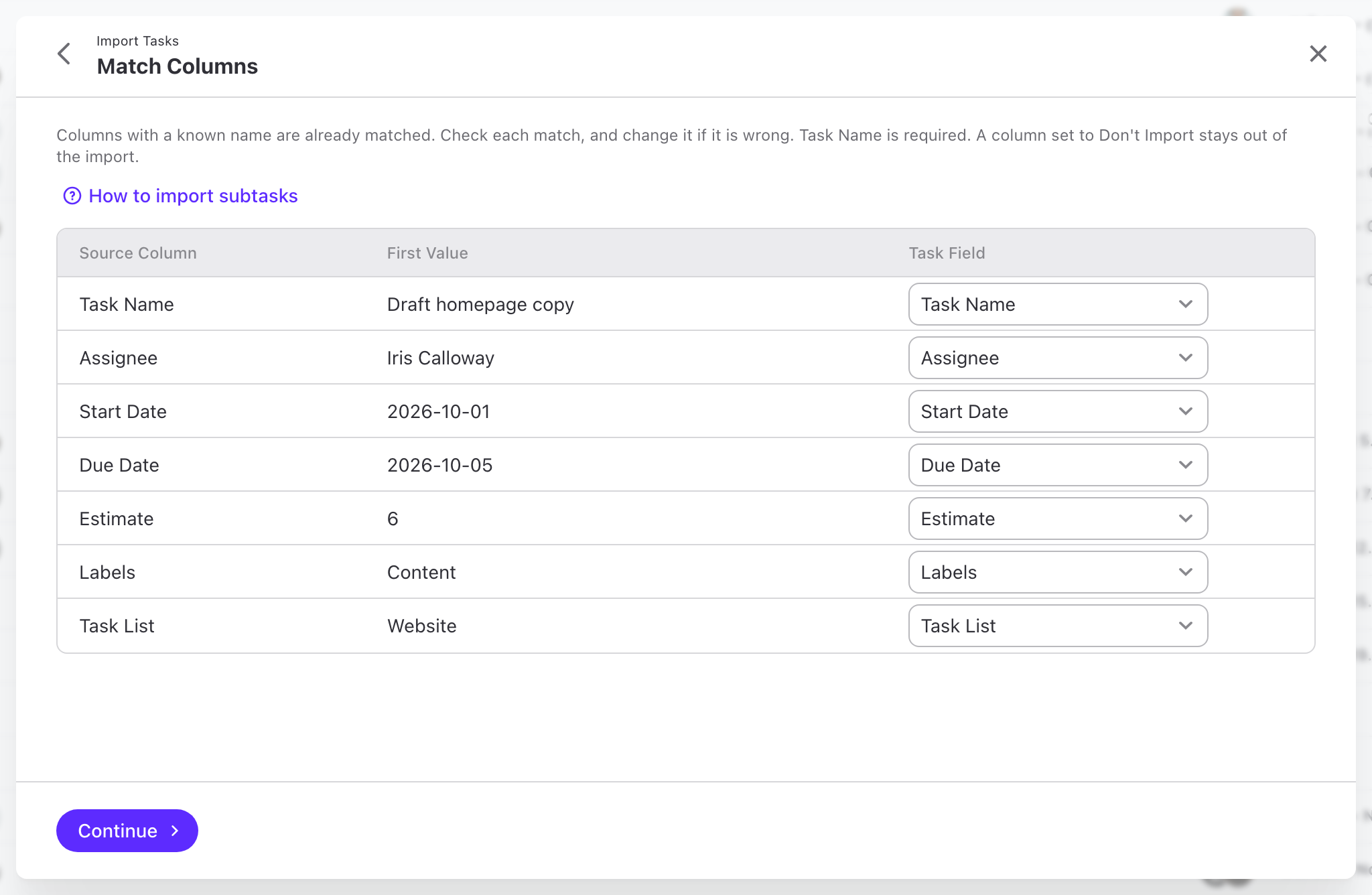
This feature is a big win for data portability. Import projects and tasks by uploading or pasting data from a spreadsheet. ActiveCollab automatically maps the data, and gives you a chance to make corrections before the import. When you are ready, the import runs in the background, so none of your team is flooded with notifications.
You can import CSV, TSV, Excel (XLS, XLSX) and OpenDocument (ODS) files with up to 5,000 rows. You'll find it under Tools on the Projects page. Import is available on Cloud.
Archive discussions and lock comments
Some threads just never die out; people keep coming back to them long after they have served their purpose. Or sometimes people resurrect old discussions with new comments, when a new discussion would be a much better place to start. Until now, the only way to really stop that from happening was to delete the discussion or the task, which was not an option in most cases.
For these and similar situations, we introduced two new features:
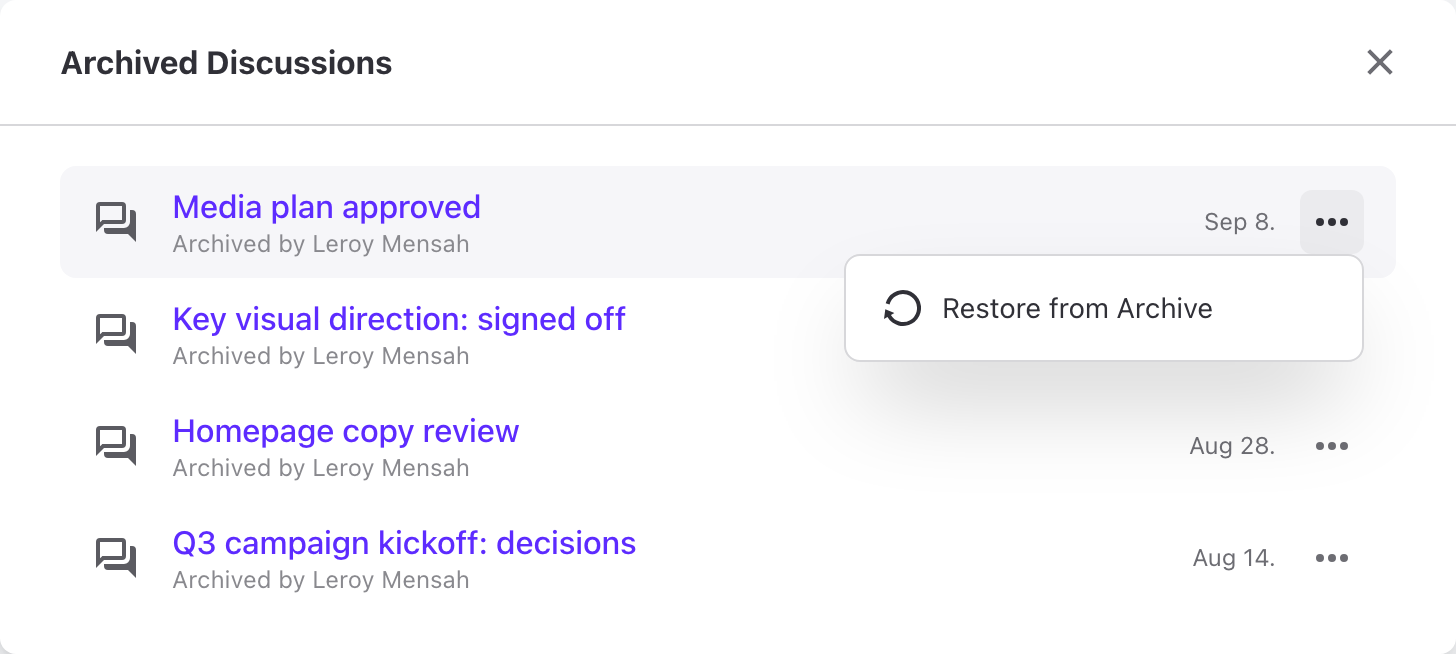
- Option to declutter and focus open discussions by archiving the ones that should be closed,
- Option to lock comments on tasks, notes and discussions, to make sure that no new discussion takes place in them.
GitHub and GitLab integration
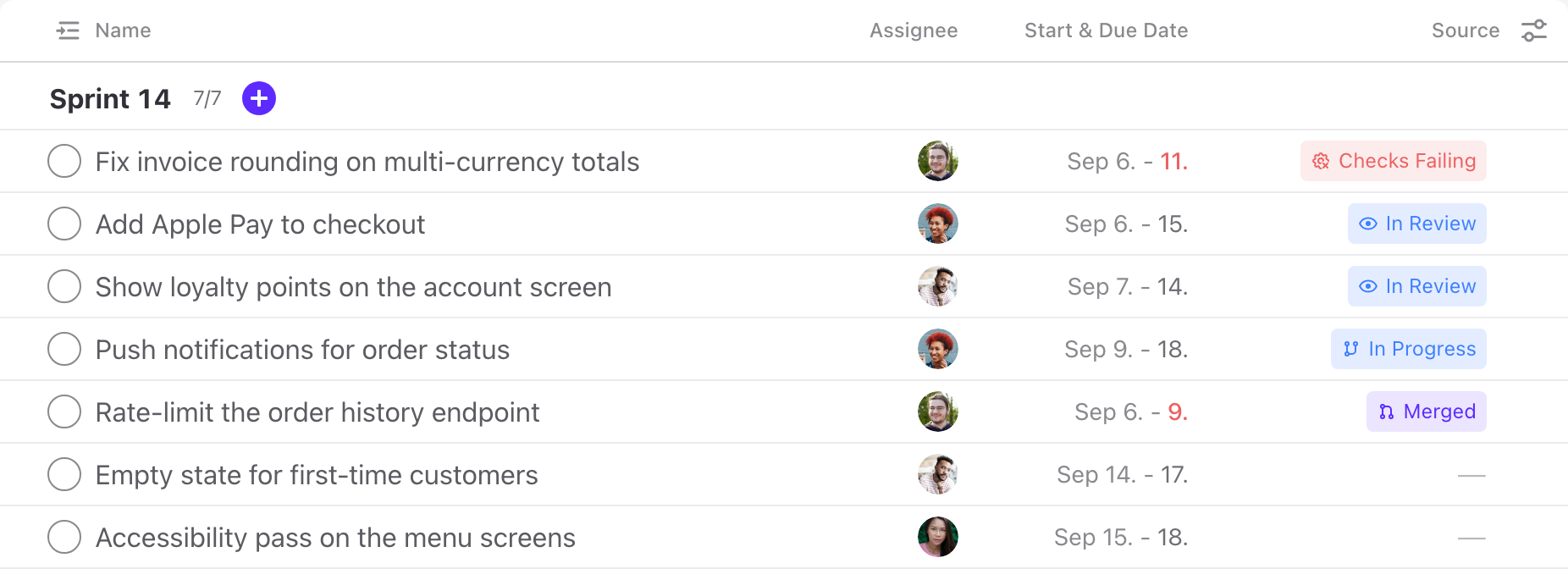
Back in August we released our GitHub and GitLab integration to the Early Access Program. In September we finished the work on it, and on October 5 and 6 it became available to everyone on Cloud.
On top of a great many stability and performance improvements, we added a dedicated Source column to the Tasks list. It gives you a bird's-eye view of how work is progressing, without opening each individual task.
Quality of life improvements
A few notable mentions that may not warrant a whole section in this recap, but help out in everyday use of the system:
- Redesigned Settings and Project Settings now open in dialogs, so you don't lose your context. System Settings can also be searched now,
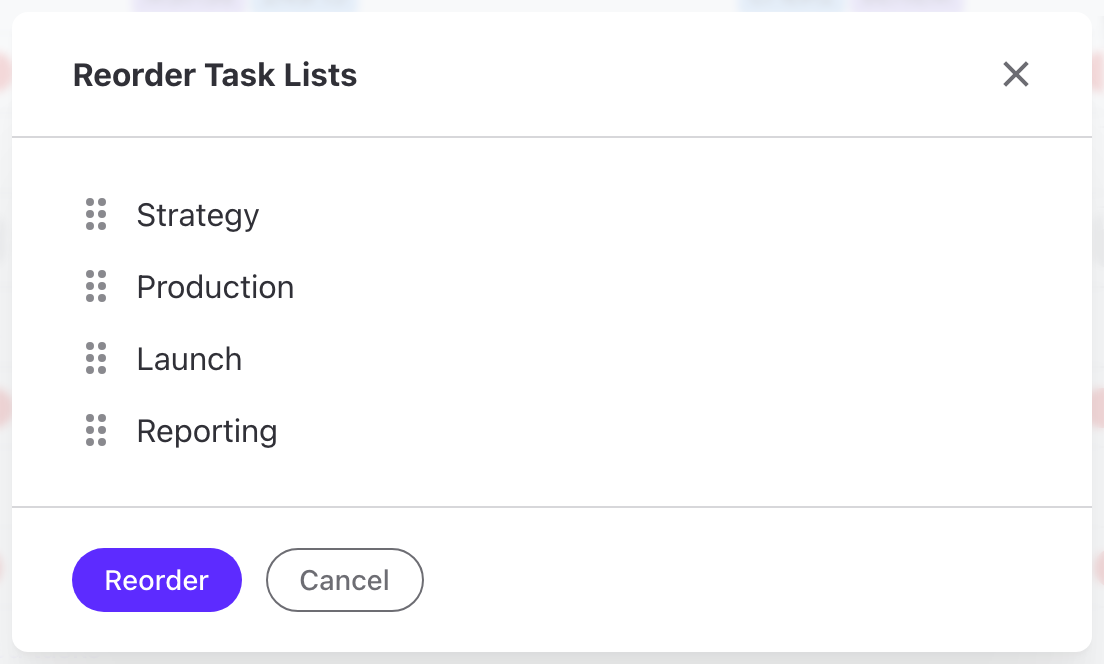
- Reorder Task Lists dialog lets you easily restructure big projects, without having to drag and drop huge blocks of tasks,
- Change the order of widgets in the project's Progress menu,
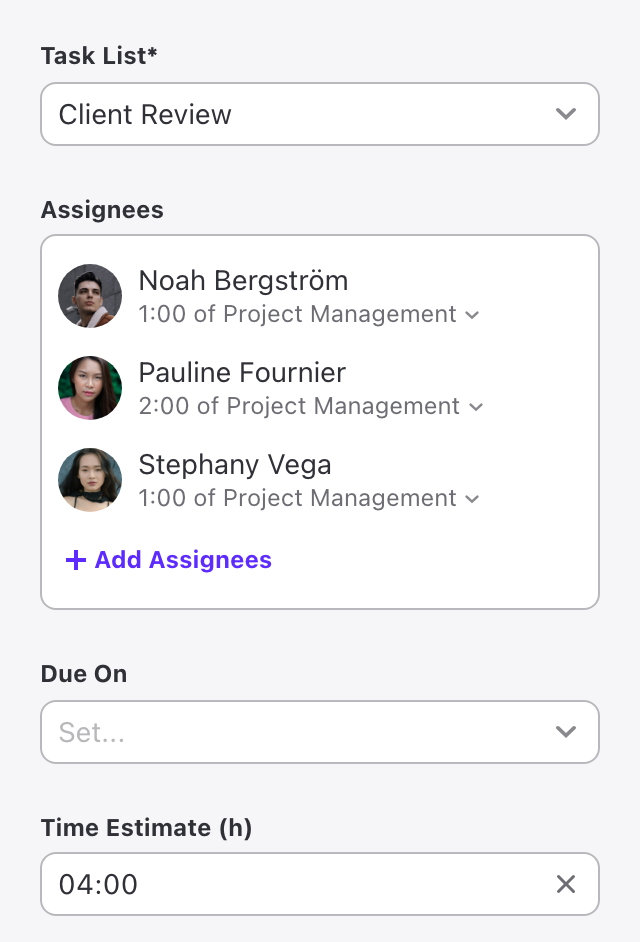
- Project templates now support multiple assignees, so you can prepare better templates for repeatable work,
- Reply to individual chat messages, so your people can reply to side topics without losing the thread of the main conversation,
- In-app help is always up to date, and always at your fingertips,
- Performance improvements, namely in time reports and long lists.
Self-hosted progress
ActiveCollab 8.0.352 was released on September 24th, and it brought most of the features discussed above: multiple assignees in project templates, redesigned project and system settings, reordering of task lists, and more. We're working on keeping self-hosted as close to Cloud as technically possible, and we are committed to staying that course.
Uptime
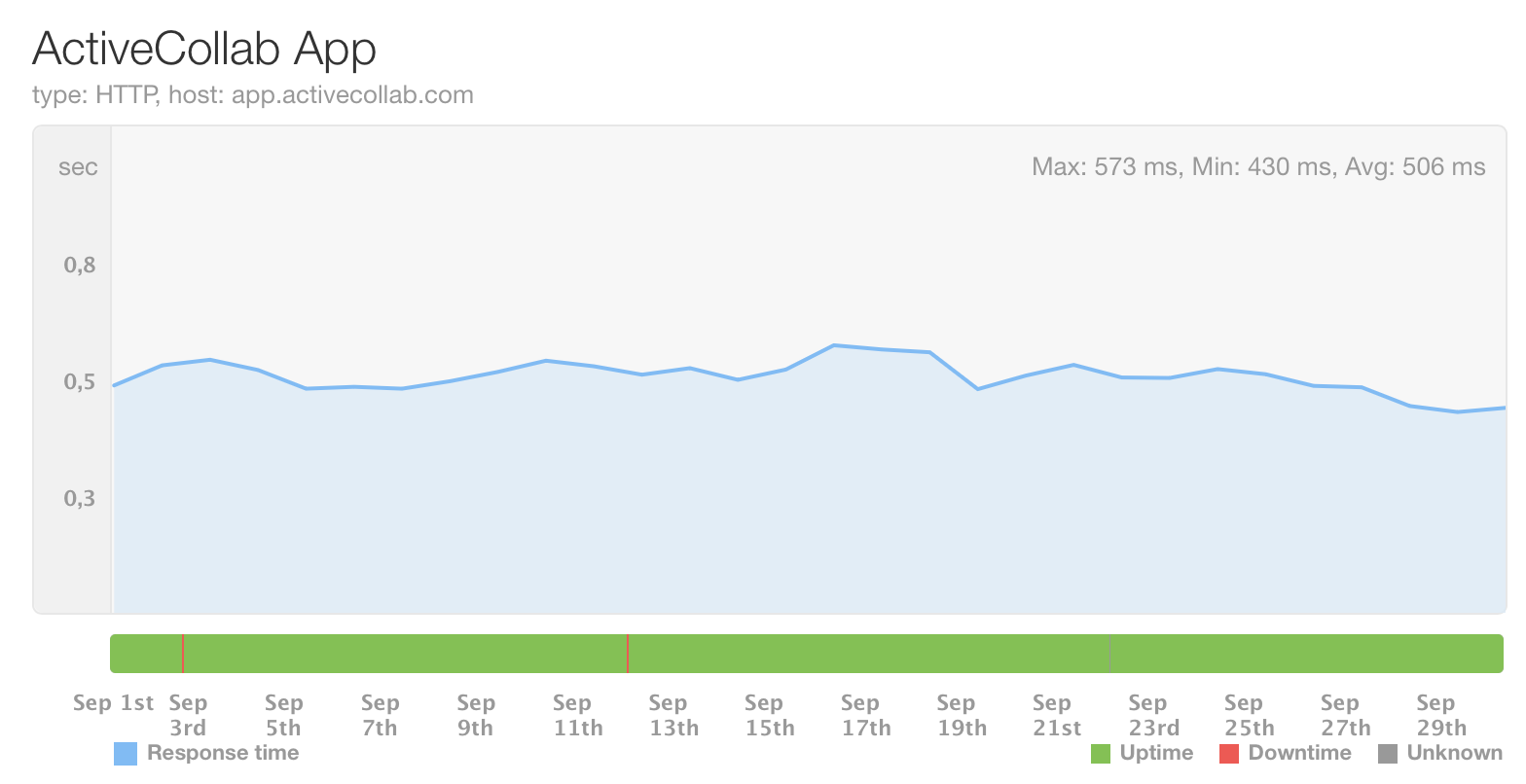
Uptime during September was over 99.99%. If you notice any problems with load times or general availability of the system, don't hesitate to email us at support@activecollab.com.
Coming up
October is off to a fast start: the fully rebuilt Timeline view is live, and so is the new Availability report, with a brand new set of MCP tools for working with availability data. There's much more on the way, and I'll cover it all in the October recap.
Ilija