ActiveCollab 9
We rebuilt how tasks look and work, with 100+ smaller improvements along the way. Your projects, tasks, and settings stay where they were.
Pick the layout that fits the task
Choose a layout from the Layout menu in the task's top bar. Your choice follows you to every task.
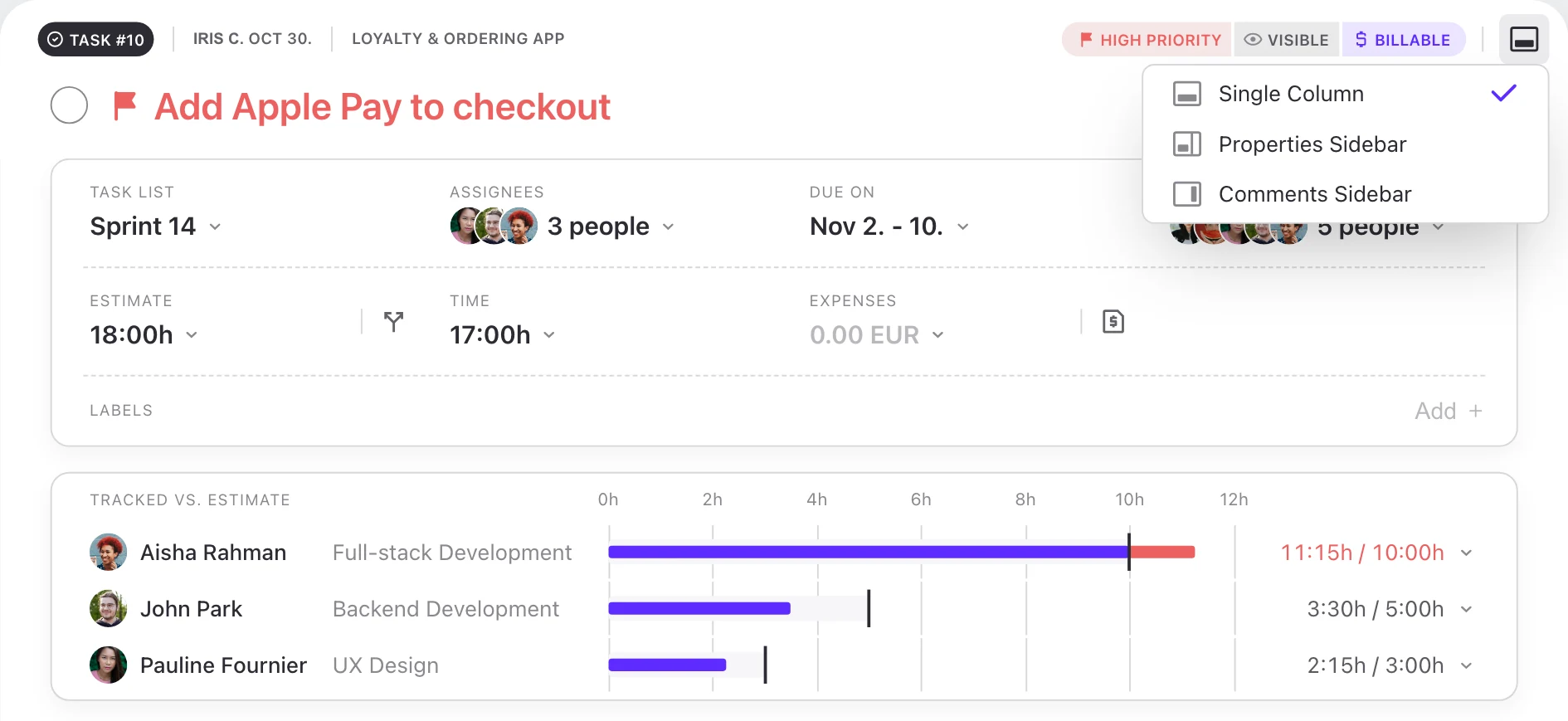
Single Column
Everything in one calm column, from the description down to the last comment.
Properties Sidebar
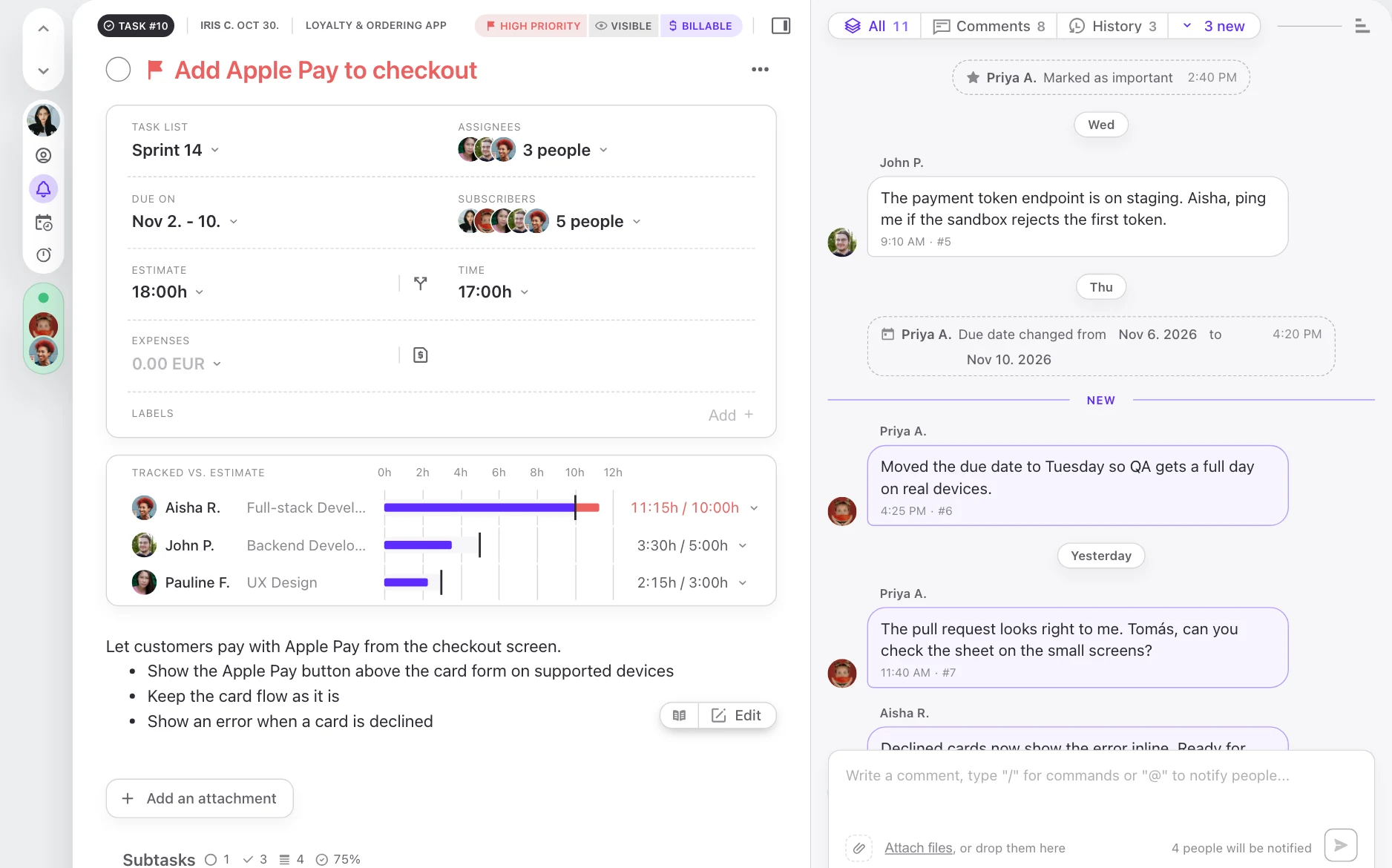
The description takes the space, and the task facts sit at the side.
Comments Sidebar
The conversation runs beside the work, so you can read and reply without scrolling away.
Comments that read like a conversation
- Three views of one thread. All shows comments and history together. Comments shows only the conversation. History shows every change to the task on its own.
- Your order. Sort by Older First or Newer First, and show or hide code activity. ActiveCollab remembers both.
- The whole story in one place. Changes to the task and code events appear between comments, in the order they happened. Quick edits by one person fold into one card.
- Never lose your place. The header shows how many comments are new, and one click takes you to the first one.
- See who's here. The Here Now strip shows who else has the task open and who is typing.
- Know who will hear. The comment box shows how many people your comment will notify.
Task lists that keep up
Big projects scroll without lag. Time and Estimate have their own columns, and overdue tasks stand out.
Search in every view
Search task lists, Kanban, Timeline, calendars, discussions, notes, files, and more, right from the title bar.
Projects you can tell apart
Give each project a color and an icon: its initials, the client's logo, or an image you upload.
Drop it, paste it, done
Drop files anywhere on a task, or paste a screenshot. Choose whether an image goes inline or as an attachment.
Change many at once
Select rows and use the bar on top of the list to complete, move, or change them together. Shift+click selects a range.
Room to read
Open a long description or comment in Reader Mode, or turn on Always Show Full Text to skip the Read More step.